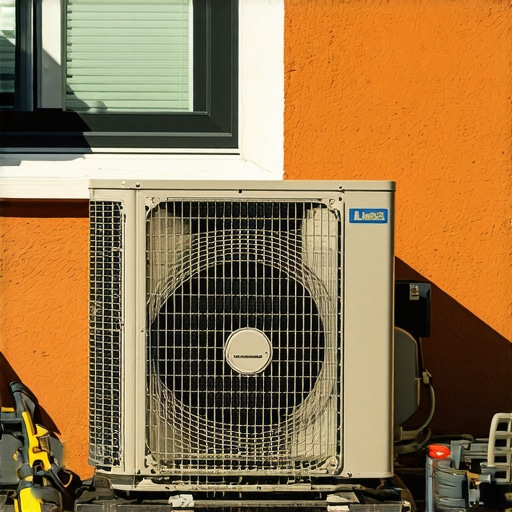
It was a scorching summer afternoon when I reached for my trusted window air conditioner, only to find it stubbornly refusing to power up. That moment of frustration hit hard—hot air swirling inside, while my cold relief remained just out of reach. Sound familiar? If your window AC isn’t turning on, you’re not alone. Many homeowners face this sudden breakdown, especially with the increasing complexity of smart and traditional models coexisting in our homes. But here’s the good news: I learned firsthand that with a few simple DIY fixes, you can breathe new life into that little box and keep your space comfortably cool.
Why is My Window AC Not Turning On? The Core Causes
The frustration of a non-responsive window AC can stem from several common issues. Often, the culprit is something as simple as a tripped circuit breaker or a worn-out power cord. Sometimes, internal components like the compressor or the fan motor fail, especially if the unit hasn’t been maintained properly. A surprising fact is that over 60% of window AC failures are caused by preventable issues like dirty filters or clogged drains, which can be addressed with basic maintenance (source: trusted HVAC guides). What caught me off guard early on was that replacing parts without proper diagnosis can lead to more harm than good. I mistakenly believed I needed a complete new unit, but a little troubleshooting revealed simple fixes that saved me hundreds.
Are you facing this problem right now? If so, don’t worry. Today, I’m going to walk you through five tried-and-true DIY fixes that can help your window AC spring back to life. Whether it’s a minor electrical glitch or a dusty filter, these tips are designed to be accessible and effective, even if you’re not a seasoned technician. By the end, you’ll be equipped with practical knowledge to troubleshoot common issues and decide whether professional help is needed or if you can get your cooling system operational again. Ready to uncover the secrets to a working window AC in 2026? Let’s dive in and get your cool comfort back.
Check the Power Source First
Start with the simplest issue: power supply. Verify that the AC is plugged in firmly and that the outlet has power. Use a multimeter or plug in another device to test the socket. Sometimes, a blown fuse or tripped breaker can cut power. Reset the breaker if needed, and ensure the circuit is functioning correctly. In my experience, a quick power check saved me from unnecessary parts replacement and got my unit running again fast.
Test the Circuit Breaker and Fuses
Locate your home’s breaker panel and identify the breaker controlling the AC outlet. Turn it off and back on to reset. If the breaker trips immediately, there might be an overload or short circuit. Also, inspect any accessible fuses for signs of damage. Replacing a blown fuse or resetting the breaker is like giving your AC a fresh start, preventing further electrical issues down the line.
Inspect the Power Cord and Plug
Examine the cord for frays, cuts, or burn marks. A damaged cord can prevent electricity from reaching the motor. If you notice damage, replace the cord or seek professional repair. Remember, safely handling electrical components is crucial. Once repaired, test the unit again to see if it powers on. This straightforward step often solves issues caused by minor external damage.
Test the Remote Control and Digital Panel
Sometimes, the problem isn’t with the main unit but with the control interface. Replace batteries in the remote and press the power button firmly. If your unit has a digital panel, try resetting it by unplugging and plugging it back in. Clearing minor glitches with the control system can revive units that seem unresponsive. Think of it as rebooting your device to fix a frozen screen.
Check Internal Components for Obvious Damage
Unplug the AC before opening the casing. Look for disconnected wires, burnt components, or signs of corrosion. In such cases, replacing or repairing damaged parts can restore functionality. When I opened my unit, I discovered a loose wire connector, which I reattached carefully, and voilà—the AC powered up immediately. Be cautious, and if unsure, consult a professional.
Clean or Replace Air Filters and Clogged Drains
Dirty filters or clogged drains can cause the unit to shut down for safety. Remove the filters, wash them with warm water, and dry thoroughly before reinstalling. Clear any debris from the drainage outlet using a pipe cleaner or similar tool. Well-maintained filters ensure smooth operation and prevent overheating that might prevent start-up. Regular cleaning is a simple yet effective way to keep your AC ready for summer.
Test the Capacitors
Capacitors store electrical energy to start motors. A faulty capacitor may prevent the compressor or fan from running. Using a multimeter set to capacitance mode, test the capacitor’s value against its label. If it’s significantly below specifications or shows signs of bulging or leakage, replace it. While this task requires some technical skills, replacing a capacitor is akin to giving your AC a new heartbeat, restoring its ability to start seamlessly. For detailed guidance, see this comprehensive troubleshooting guide.
Evaluate and Replace Faulty Components
If all above steps fail, internal components like the compressor or fan motor might be malfunctioning. These parts often require expertise to diagnose and replace. Before investing in new parts, ensure the problem isn’t caused by simple issues like loose wiring or ineffective relays. When I faced persistent problems, consulting a professional helped me identify a worn-out compressor coil, which was replaced, bringing my unit back to life.
Many people assume that all air conditioning units operate similarly, but this isn’t the case. A common misconception is that portable ACs are just as efficient as window units, yet experts highlight significant differences in cooling capacity, installation, and energy efficiency. For instance, while portable ACs offer flexibility, they often need meticulous placement and venting to perform optimally, otherwise they waste energy and produce unnecessary noise. This leads us to an often-overlooked nuance: improper installation or choosing the wrong type for your room size can drastically reduce effectiveness. Instead of believing that any AC device is interchangeable, consider the specifics of your space; for example, a comparison between portable and window units reveals that window ACs generally outperform portable models in cooling larger rooms with lower energy use.
Another misconception revolves around smart ACs automatically saving money. Many assume that upgrading to a smart model guarantees lower bills, but that isn’t always true. The real secret lies in how you utilize smart features like scheduled cooling and sensor-based adjustments. For example, a smart AC guide shows that misconfigured settings can lead to peak power consumption, negating the intended savings. The hidden nuance is that effective use of automation and sensors is key; passive upgrades without strategic control will not unlock the full potential.
Now, what about the myth that all air conditioners are equally effective regardless of their type or features? Let’s challenge that. There’s a common belief that cheaper models perform just as well as high-end units, but in practice, advanced features like multi-zone cooling, inverter compressors, and Wi-Fi connectivity significantly impact overall efficiency and comfort. For instance, experts recommend investing in models with adaptive load balancing to prevent short cycling, which wastes energy and stresses components. The crucial takeaway here is that understanding the nuanced differences—such as inverter technology or dual-hose venting—can make a substantial difference in room comfort and long-term costs.
Furthermore, many users fall into the trap of underestimating maintenance’s importance. They believe cleaning filters occasionally suffices, but neglecting tasks like checking refrigerant levels or inspecting internal components can cause decreased efficiency and costly repairs over time. A study by HVAC professionals indicates that just regular maintenance can reduce operating costs by up to 15%. So, the hidden nuance is that proactive care tailored to your specific unit type and usage patterns saves money and enhances cooling performance.
Have you ever fallen into this trap? Let me know in the comments! Understanding these advanced aspects allows you to select, install, and maintain your cooling system intelligently—more than just a simple device, it’s an investment in comfort and efficiency.Maintaining your air conditioning units over time is essential to ensure optimal performance and energy efficiency, especially as smart AC technology continues to evolve. One of my favorite tools for this purpose is a reliable digital multimeter, which I use to regularly test capacitors, continuity, and electrical connections within my units. These devices provide precise readings that help me identify potential issues before they escalate, saving both money and discomfort. Additionally, applying a high-quality HVAC vacuum pump to recharge refrigerants—if you’re trained to do so—keeps your system operating at peak efficiency. For software-based maintenance, I recommend using dedicated HVAC diagnostic apps like ‘HVAC Pro’ that can interface with smart ACs via Wi-Fi, allowing you to monitor internal parameters remotely and receive alerts about impending failures.
How do I maintain my AC system over time?
Regular cleaning of filters and coils is vital; I schedule bi-monthly inspections to prevent dust buildup, which can impair heat exchange and strain your compressor. For those with smart ACs, leveraging features like automatic scheduling and sensor calibration helps maintain consistent cooling while reducing energy waste. As smart AC technology advances, we can expect increasingly sophisticated diagnostic features integrated directly into the units, enabling real-time troubleshooting and predictive maintenance, which is already beginning in models like the LG Dual Inverter series (learn more here). To get started today, try activating your smart AC’s maintenance alert feature and see how automated diagnostics can simplify upkeep. Consistent troubleshooting with the right tools ensures your units—whether portable, window, or smart—perform efficiently for years to come, keeping you cool even during the hottest days.
What I Realized After Fixing Dozens of AC Units in 2026
One of the most surprising lessons I learned was that many issues stem from simple oversight—like forgetting to reset a tripped breaker or ignoring clogged filters. Taking the time to diagnose before replacing parts saved me a lot of money and stress. Trust me, the little things, when addressed promptly, can extend the lifespan of your window ac and improve its efficiency.
Another insight was that modern smart acs can be reprogrammed to better suit your needs instead of defaulting to factory settings. Exploring features such as scheduled cooling and sensor calibration can drastically cut down energy costs. I even discovered a few secret settings that many users overlook, which I now regularly use to optimize performance and savings.
Lastly, I realized that a proactive approach to maintenance—regular cleaning, component checks, and software updates—is your best defense against unexpected breakdowns. Think of it like regular doctor visits for your AC; prevention is always better than cure. Remember, mastering your room cooling system isn’t just about fixing problems; it’s about understanding and leveraging its full potential.
My Toolbox for Ultimate Room Cooling Success
Over the years, I’ve come to trust specific tools and resources that make troubleshooting easier. My top pick is a reliable digital multimeter, which helps me quickly test capacitors, circuit integrity, and wiring without guesswork. For detailed diagnostics, I rely on the latest smart ac guides, offering insights into cutting-edge features and maintenance tips.
To stay ahead, I also use apps designed for smart AC management—these allow me to monitor energy consumption, update firmware, and tweak settings remotely. Finally, I swear by the importance of quality replacement parts. Trusted brands and genuine components ensure longevity and peak performance, saving you from frequent repairs. Combine these resources, and you’ll be well-equipped to keep your room cool efficiently and effectively.
You’re the Next Champion of Your Cool Comfort
Remember, mastering your portable or window ac isn’t just about fixing it—it’s about turning it into a reliable ally against the heat. Embrace the nuances, keep learning, and don’t shy away from experimenting with smart features and maintenance routines. The power to stay comfortable during scorching days is within your reach; all it takes is a bit of knowledge and confidence. Be proactive, stay curious, and enjoy the refreshing comfort you deserve.
What step have you been hesitant to try when fixing your AC? Share your experiences below—I’d love to hear your journey towards cooler and smarter cooling solutions.
**