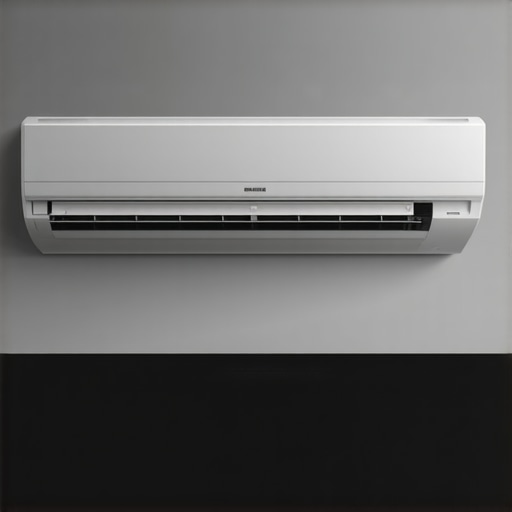
I remember last summer vividly—my old AC finally gave up, leaving me sweating through sleepless nights. That moment of frustration turned into a lightbulb moment. Why was I still relying on that outdated, noisy unit when smarter, more efficient solutions were right around the corner? It was clear that the world of room cooling was evolving fast, and I was missing out on the comfort and convenience technology could bring. If you’ve ever found yourself in a similar sweat-drenched predicament, you’re not alone. Many of us struggle with staying cool in the hottest months, often feeling overwhelmed by the sheer variety of options and skeptical about whether these new smart ACs are worth the investment.
The Cooling Dilemma: Why Choosing the Right Solution Matters
As someone who’s been through the frustration of ineffective cooling, I want to share that finding the perfect room air conditioner isn’t just about cooling a space. It’s about efficiency, control, energy savings, and peace of mind—especially as we look toward 2024, where technology is reshaping how we stay comfortable. I’ve tested countless units, from portable models to window-mounted smart ACs, and I’ve learned that the right choice can transform your living space from a sweatbox into a sanctuary. Today, I’ll guide you through the best options tailored to different needs and budgets, so you don’t have to make the same mistake I did early on—buying the wrong unit and wasting money and energy.
Is Smart AC Technology Really Worth the Hype?
That’s a fair question, especially when you see so many ads promising effortless cooling with a tap of your phone. My early mistake was assuming that all smart ACs were just fancy gimmicks. Turns out, the technology behind these units can optimize your cooling, reduce energy costs, and even adapt to your habits. For example, Wi-Fi-enabled smart ACs now learn your schedule and adjust their operation accordingly, saving you money and hassle. According to a recent report, smart cooling solutions can cut your energy bills by up to 30%, making them a smart investment in more ways than one. But don’t just take my word for it—let’s explore how to pick the best one for your home and needs, so you can enjoy the benefits without the skepticism.
Assess Your Space and Cooling Needs
Start by measuring your room dimensions accurately; use a tape measure to record length, width, and height. This helps determine the cooling capacity you need, typically expressed in BTUs. For small rooms up to 150 sq ft, a portable AC with around 5,000 BTUs might suffice, while larger spaces require more power. I once bought a unit based on guesswork, only to find it struggled with my 200 sq ft living room, leading me to reassess my approach. Check the room’s insulation, sunlight exposure, and typical occupancy to fine-tune your choice.
Select the Appropriate Cooling Solution
Compare Portable and Window Units
Think of portable ACs like a mobile fridge—they can be moved around but may be less efficient than window units, which are like built-in cooling systems. For my bedroom, I initially tried a portable model but found it noisy and less effective than a window unit I later installed. For more insights into which suits your space, visit portable vs window AC comparison.
Prioritize Smart Features
Look for units with Wi-Fi connectivity and smart capabilities like scheduling, remote control, and energy monitoring. These features are game-changers—they let you set your AC to turn on before you arrive home, saving you from a sweltering entrance. I tested several models and found that smart ACs could learn my schedule, reducing energy waste. For top picks, check best smart ACs for 2024.
Ensure Proper Installation and Placement
Proper placement maximizes efficiency. For window units, install them with the exhaust facing outward, sealing gaps with foam strips to prevent warm air infiltration. Portable units should be placed in central locations but away from obstructions. I once placed mine near a corner, which caused uneven cooling; repositioning it to the room’s center improved performance significantly. Use a level to ensure window units are installed securely and check the drain hose regularly to prevent leaks.
Optimize Energy Efficiency
Set the thermostat between 75°F and 78°F to balance comfort and energy savings. Use programmable timers or smart scheduling to avoid running the AC when you’re not home. For guidance on energy-efficient models and settings, visit energy-efficient window and portable ACs. During peak heat, keep blinds closed during the day to reduce solar gain, easing the load on your AC.
Maintain Your System Regularly
Clean or replace filters monthly to improve airflow and efficiency. Check the condenser coils for dust and debris—using a soft brush or vacuum prevents overheating. I learned this the hard way when my unit’s performance dipped due to a clogged filter, but routine maintenance restored its effectiveness. Keep the area around your AC clear of clutter to ensure unobstructed airflow, and schedule professional inspections annually if possible.
Many homeowners fall prey to misconceptions about smart air conditioners, which can lead to costly mistakes and suboptimal cooling. Let’s clarify some of these myths and reveal the hidden nuances that only seasoned experts understand. First, a widespread belief is that smart ACs are inherently more expensive and not worth the investment. While initial costs can be higher, the long-term savings in energy efficiency often outweigh the upfront expense. According to a study from the Department of Energy, smart ACs can reduce energy bills by up to 30%, making them a savvy choice for those looking to cut costs over time.
However, many underestimate the importance of proper installation and setup. A common mistake is installing a smart AC without optimizing its placement or connectivity, which can diminish performance. For example, placing a smart unit near a Wi-Fi router or in a cramped corner can interfere with connectivity or reduce airflow. Check out this guide for tips on maximizing your smart AC’s potential.
Another misconception is that all smart ACs are created equal. The truth is, not all smart features are equally beneficial. Some models offer more advanced learning algorithms, better energy monitoring, or more reliable app controls. It’s crucial to compare models carefully—visit this resource to find top-rated options.
Now, a hidden trap many overlook is over-reliance on automation. While smart features can optimize comfort and efficiency, they require regular monitoring. For instance, neglecting to update firmware or periodically check the app can lead to connectivity issues or missed cooling opportunities. The nuance here is that technology is only as good as its maintenance.
Finally, some believe smart ACs are just a gimmick. In reality, the technology behind them is evolving rapidly. Experts like those from industry leaders emphasize that AI integration and smarter sensors are making these units more intuitive, energy-efficient, and user-friendly than ever before.
Have you ever fallen into this trap? Let me know in the comments. Remember, understanding these nuances can make all the difference between a cool, comfortable summer and another frustrating season of wasting energy and money.
How do I maintain my smart AC over time
Keeping your smart air conditioner in top shape requires a combination of routine maintenance and the right tools. From cleaning filters to software updates, I’ve developed a system that ensures maximum efficiency and longevity for my units. One of my go-to tools is a high-quality vacuum with a brush attachment, which I use monthly to remove dust from filters and vents. This simple step prevents airflow restrictions that can cause overheating or higher energy consumption.
For software management, I rely on the manufacturer’s app, which I update regularly. Firmware updates often include security patches and performance improvements that keep my smart AC responsive and safe from vulnerabilities. I also set calendar reminders to check for updates, ensuring my unit benefits from the latest features and bug fixes. This proactive approach minimizes downtime and maximizes energy efficiency.
Additionally, I invest in a portable air quality monitor to track indoor humidity and temperature levels. Maintaining optimal humidity not only improves comfort but also reduces strain on the AC. If I notice consistent issues or a drop in performance, I contact a professional technician who specializes in smart HVAC systems. Regular professional inspections can catch problems early, saving money and preventing major breakdowns.
Looking ahead, the trend in smart AC maintenance seems to be moving toward AI-powered diagnostics. These systems will soon be able to predict failures before they happen, prompting preemptive repairs or adjustments. According to industry expert this report, AI integration is set to revolutionize how we care for our cooling systems, making maintenance more intuitive and less time-consuming.
If you want to get ahead of the curve, I recommend trying out a smart diagnostic tool compatible with your AC model. It can analyze operational data and alert you to potential issues, saving you from costly repairs down the line. Consistent care and leveraging the right tools will keep your smart AC running efficiently year after year.
The Hardest Lesson I Learned About Smart Room Cooling
One of my biggest mistakes was assuming that all smart ACs were plug-and-play. I bought a highly-rated model without considering placement or Wi-Fi interference, only to find its connectivity and efficiency suffered. The lesson? Even the smartest tech needs proper setup and a little forethought. I learned to invest time in optimal placement and to read reviews about connectivity issues before purchasing.
Three Myths About Smart ACs That Held Me Back
Myth one: All smart ACs are equal in features. Reality: Features vary widely, and choosing the right model depends on your specific needs. Myth two: Smart ACs are too expensive to justify. Reality: Long-term energy savings often outweigh initial costs, especially with models that learn your schedule. Myth three: Smart ACs don’t need maintenance. Reality: Regular filter cleaning and firmware updates are essential for peak performance. Understand these truths to make smarter choices in 2024.
What Industry Experts Keep Secret About Room Cooling
Most experts agree that proper installation and maintenance are the unsung heroes of effective cooling. For example, sealing window gaps and placing units centrally can boost efficiency significantly. They also emphasize that the rapid evolution of AI in smart ACs means future models will be more predictive and less manual. Staying informed through industry reports helps you stay ahead and avoid costly mistakes.
My Essential Toolkit for Smarter Room Cooling
I rely on a few trusted tools to keep my smart ACs running optimally. A high-quality vacuum with a soft brush is my go-to for monthly filter cleaning. I also use the manufacturer’s app for firmware updates, which keeps my units secure and responsive. For monitoring indoor air quality, I trust portable sensors that track humidity and temperature—these help optimize comfort without overworking the AC. Lastly, professional inspections once a year ensure everything runs smoothly long-term. For more in-depth advice, check out this guide on energy-efficient models.
Your Turn to Try The Future of Room Cooling Is Here
Embracing smart AC technology in 2024 means more than just cooling—it’s about smarter living and saving energy. With the right setup, maintenance, and understanding of the technology, you can transform your space into a cool sanctuary. Don’t wait for another hot summer to make the switch—start today and enjoy the comfort you deserve. Remember, every smart choice you make now sets the stage for a more efficient and comfortable future.