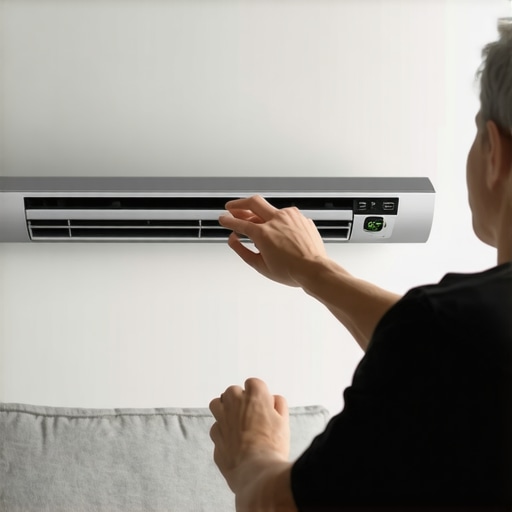
Imagine this: it’s a scorching summer day, and you’ve finally settled into your favorite chair after a long, busy day. You reach for the remote, only to discover that your old, noisy AC just can’t keep up anymore. The room remains sticky, uncomfortable, and you start questioning if there’s a better way. That was me not so long ago—struggling with inefficient cooling, wasting energy, and feeling frustrated every time the heat hit its peak.
Why Smart ACs Are Changing the Cooling Game
That lightbulb moment led me down a rabbit hole of smart technology and innovative cooling solutions. Today, I want to share how embracing the right tips and tools can transform your room into a cool oasis—without breaking the bank or losing your mind. With the rise of Wi-Fi-enabled smart ACs, room cooling in 2024 is more efficient and user-friendly than ever before. These devices adapt to your habits, optimize energy use, and can be controlled from your phone—making summer comfort more accessible and less stressful.
Is All the Hype About Smart ACs Really Worth It?
Early on, I made the mistake of thinking that any AC would do the trick. I bought a cheap, basic model, expecting it to cool my room instantly. Spoiler alert: it didn’t. It was noisy, inefficient, and I had to manually fiddle with settings constantly. It took me a while to realize that not all smart ACs are created equal, and choosing the right one can make a huge difference. Luckily, I found that investing in a top-rated smart AC, like those highlighted in 2024’s best smart room cooling devices, really paid off. It’s not just about cooling—it’s about convenience, savings, and peace of mind. If you’re tired of battling heat with outdated equipment, stick around. I’ll guide you through the essential tips for selecting, installing, and maintaining your ideal cooling setup for 2024—so you can stay cool with confidence.
Choose the Right Cooling Solution for Your Space
Start by assessing your room size and specific needs. For small bedrooms or offices, a portable smart AC can be quick to set up and highly flexible. For larger areas or permanent setups, consider window units or split-system smart ACs. I once tried to cool a large living room with a tiny portable unit — the results were disappointing, with uneven cooling and frustration. That experience taught me to match the device to the room’s size, which significantly improved comfort and energy efficiency.
Match Your Device to Your Room Size
Use the specifications of your smart AC to ensure it can handle your space. Manufacturers provide cooling capacities in BTUs; a general rule is about 20 BTUs per square foot. For example, a 10×10 foot room needs roughly a 20,000 BTU unit. I learned this the hard way when I bought a 12,000 BTU portable for a 20×15 foot room — it struggled to cool effectively, leading me to upgrade to a 24,000 BTU model, which made a noticeable difference.
Optimize Your Room Environment
To maximize efficiency, block out sunlight during peak hours with curtains or blinds. Seal gaps around windows and doors to prevent hot air infiltration. I installed weatherstripping on my windows, which kept the cool air in and the hot air out — a simple fix that cut my energy bills and improved cooling performance.
Set Up Your Smart AC for Maximum Efficiency
Connect your device to your Wi-Fi network and use the app to set schedules. Program your AC to turn on just before you arrive home or to turn off when you leave. I experimented with scheduling my smart AC to run during the hottest hours, which kept my room consistently comfortable without wasting energy. This approach is especially effective if your smart AC supports geofencing or adaptive learning, as discussed in smart AC technology in 2025.
Leverage Smart Features for Better Comfort
Many smart ACs offer features like auto-swing louvers, humidity control, and air purification. These enhance comfort and air quality. For instance, I enabled the auto-swing feature, which evenly distributed cool air across the room, eliminating hot spots. Humidity control made my space feel cooler and more comfortable overall, especially during humid summer days. These features, highlighted in best smart AC room cooling devices in 2024, are game-changers.
Monitor and Adjust Settings Remotely
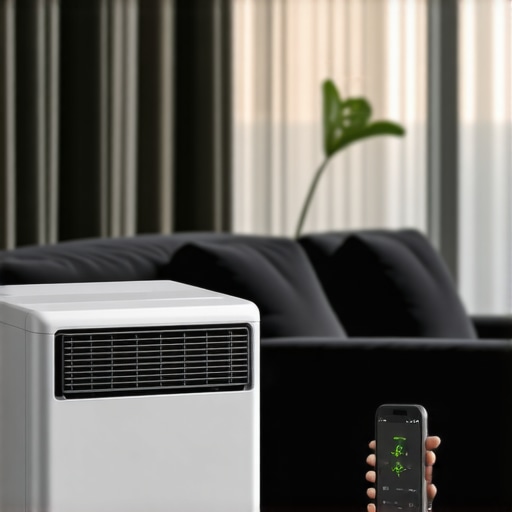
Use your smartphone to check current temperature and humidity levels. Adjust settings on the go to adapt to changing conditions. I often tweak my smart AC from bed or while at work, ensuring I come home to a perfectly cooled room. This real-time control prevents overcooling and saves energy, aligning with insights from smart AC room cooling tips for 2024.
Maintain Your Smart AC for Longevity
Regularly clean or replace filters to maintain airflow and efficiency. Check for software updates via the app to keep features optimized. I schedule a monthly cleaning routine, which keeps my device running smoothly and prolongs its lifespan. Proper maintenance ensures your investment continues to pay off, as recommended in energy-efficient window portable ACs for 2024.
< >
>
While smart ACs have revolutionized room cooling, many users fall into traps that undermine their effectiveness and longevity. One widespread misconception is that the latest model is always the best choice. In reality, the nuances of your space—such as room size, insulation, and usage patterns—demand a tailored approach. For example, selecting a smart AC without considering its BTU rating can lead to inadequate cooling or wasted energy. Many believe that bigger is better, but an oversized unit can cycle on and off frequently, reducing efficiency and increasing wear. To truly optimize your setup, you should match your device to your room size, as outlined in expert tips for 2025 and avoid the common pitfall of over- or under-sizing.
Another frequent oversight is neglecting the importance of proper installation and environment optimization. For instance, people often forget that a smart AC’s performance can be severely hampered by poor insulation or sunlight exposure. Blocking out sunlight with curtains and sealing gaps around windows can dramatically improve cooling efficiency. I learned this lesson early on when I installed weatherstripping that kept my cool air in, cutting energy bills and enhancing comfort. This simple step is often overlooked but crucial for maximizing your investment.
Many assume that smart features like scheduling and remote control are only marginal benefits. However, these functionalities, when used correctly, can lead to significant energy savings and improved comfort. For example, setting your smart AC to run during peak heat hours and turning off when you leave prevents unnecessary energy use. In fact, studies show that optimal scheduling can reduce energy consumption by up to 30% (source). But beware of the trap of relying solely on these features without understanding how to integrate them into your daily routine effectively.
From my experience, one of the most overlooked yet impactful mistakes is ignoring regular maintenance. Dusty filters, outdated software, and unclean vents can all diminish your smart AC’s performance. I schedule monthly cleanings and keep my device updated via the app, which keeps it running smoothly and prolongs its lifespan. Neglecting these simple steps can lead to costly repairs or early replacement, negating the benefits of your smart investment.
Have you ever fallen into this trap? Let me know in the comments and share your experiences. Remember, smart ACs are powerful tools, but only when used thoughtfully and maintained properly. By avoiding these common pitfalls, you’ll ensure your cooling system provides comfort and savings for years to come.
Keeping your smart air conditioner in top shape isn’t just about initial setup—it’s an ongoing process that ensures efficiency, longevity, and consistent comfort. Over the years, I’ve honed a set of reliable tools and methods that help me maintain my cooling system effectively, and I want to share these insights so you can do the same.
Invest in Quality Maintenance Tools
First and foremost, I recommend having a good microfiber cloth and a soft brush on hand. I use these regularly to clean the exterior and vents of my smart AC, which prevents dust buildup that can hamper airflow. For internal filters, I rely on a vacuum with a brush attachment, making filter cleanings quick and thorough. Investing in a digital thermometer and hygrometer is also crucial. These devices allow me to monitor room conditions and ensure my AC is performing optimally. I prefer models that sync with my smartphone, so I can check data remotely and make adjustments as needed.
Schedule Routine Filter Replacements
Filters are the lungs of your smart AC. I follow the manufacturer’s guidelines for filter replacement frequency—typically every 1-3 months—and set reminders on my phone. Using high-quality, compatible filters ensures better air quality and reduces strain on the system. Over time, filters can become clogged, reducing cooling efficiency and increasing energy consumption. Regular replacement keeps the system running smoothly and extends its lifespan.
Keep Software and Firmware Up-to-Date
Most smart ACs come with companion apps that receive periodic updates. I make it a habit to check for updates weekly. Firmware updates often include performance improvements, security patches, and new features that enhance long-term operation. Neglecting these updates can leave your device vulnerable or less efficient. Enabling automatic updates via the app is a simple way to stay current without extra effort.
Use Smart Monitoring to Prevent Problems
Advanced users should consider integrating smart sensors or monitoring tools like energy consumption trackers. I use a smart plug with energy monitoring capabilities to track my AC’s power use. Sudden spikes can indicate issues like clogged filters or mechanical wear. Early detection allows me to address problems before they escalate, saving money and avoiding downtime. For comprehensive insights, I also rely on the app’s health reports to schedule preventative maintenance.
Plan for Long-Term Upgrades
As technology evolves, so do maintenance needs. I keep an eye on emerging solutions like improved filters, smarter control algorithms, and energy-efficient models. Regularly reviewing my setup ensures I benefit from innovations that can further reduce costs and improve comfort. For example, future smart ACs may incorporate AI-driven diagnostics, making maintenance even more proactive. Staying informed via trusted sources like expert reviews helps me plan timely upgrades.
How do I maintain my smart AC over time?
The key is consistency. Schedule regular cleaning, keep your software current, and monitor device performance. Don’t ignore small issues—they often signal bigger problems ahead. Using the right tools, like a microfiber cloth, smart sensors, and energy monitors, makes maintenance manageable and effective. This proactive approach not only prolongs your unit’s lifespan but also ensures you stay comfortably cool, saving energy and money in the long run.
Ready to elevate your maintenance routine? Try integrating a smart energy monitor today, and watch how it helps you catch issues early and optimize performance. Keeping your smart AC working seamlessly is an investment in comfort that pays off season after season.
As I navigated the world of smart cooling solutions, I realized that the real power lies in understanding your space and leveraging technology to its fullest. The biggest lesson I learned is that no smart AC is truly set-and-forget. It requires a thoughtful setup, ongoing maintenance, and a bit of strategic thinking to maximize comfort and savings. For example, I discovered that pairing my smart AC with a good humidity monitor transformed my experience, making the space not just cooler but also more comfortable during humid days. Additionally, I learned that scheduling your device to work during peak hours, when energy rates are lower and the sun is hottest, can significantly cut costs. And here’s a game-changer: the importance of regular software updates cannot be overstated. They often include performance boosts and security patches that keep your system running smoothly, just as I found out when my unit suddenly became more responsive after a firmware upgrade. These lessons have helped me turn my smart AC from a simple gadget into a reliable partner in beating the heat, and I believe they can do the same for you.
My Essential Toolkit for Smart Cooling Mastery
To ensure my smart AC performs at its best, I rely on a few trusted tools. A high-quality microfiber cloth and a soft brush are my go-to for routine cleaning, preventing dust buildup that hampers airflow. I also use a digital thermometer and hygrometer to monitor room conditions accurately, ensuring my cooling efforts are effective. For more advanced monitoring, I’ve integrated a smart energy monitor that tracks power consumption, alerting me to potential issues early. These tools have become indispensable in maintaining my system’s longevity and efficiency, and I recommend them wholeheartedly to anyone serious about smart cooling.
Your Turn to Make a Difference
Now that you know some of the insider secrets to mastering smart ACs in 2024, I encourage you to take action. Whether it’s optimizing your device’s settings, scheduling regular maintenance, or investing in monitoring tools, every step brings you closer to a cooler, more comfortable summer. Remember, the key is consistent effort and strategic use of technology. So, what’s the first change you’re going to make to improve your smart cooling setup? Share your plans below—I’d love to hear about your journey to summer comfort!
http://Emily%20Carter
Reading this post really resonated with my own experience with smart ACs. I recently upgraded to a Wi-Fi-enabled model, and the difference in comfort and energy savings has been remarkable. I especially appreciated the tips on matching the BTU capacity to room size—sometimes we overlook this and end up with inefficient setups. One challenge I faced was integrating my smart AC with existing smart home devices, but using a dedicated app and regular firmware updates helped me optimize performance. I’m now exploring options for smart sensors to monitor humidity and air quality, which seem to complement the features discussed. How do others find the balance between scheduling your AC to save energy and maintaining consistent comfort? I’d love to hear more about your routines or any smart device integrations you’ve found especially effective.
http://James%20Miller
The insights in this post really hit home for me. I’ve been using a smart AC for a couple of years now, and I’ve learned that its true potential is unlocked through thoughtful scheduling and environment optimization. One approach I’ve found effective is setting the AC to run just before I arrive home, which keeps the room comfortably cool without wasting energy. I also made a big difference by installing window shades to block out sunlight during the hottest parts of the day, which significantly improved cooling efficiency. What’s interesting is how small modifications in room insulation and window blocking can enhance the performance of even the best smart AC on the market. Has anyone experimented with integrating smart sensors for humidity or air quality? I’d love to know how those have impacted your comfort and energy bills, especially in humid climates.