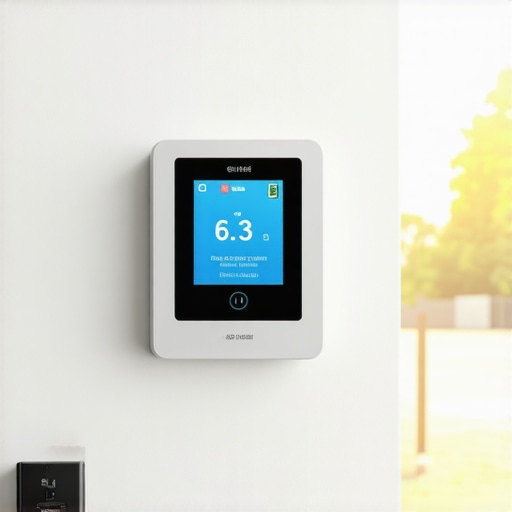
Ever caught myself watching the clock as I fiddled with my air conditioner, trying to figure out when to turn it off or on? That moment of frustration hit me hard late one hot summer evening. I had just spent a small fortune cooling my home, only to realize I might have been wasting energy—and money—by relying on that old-fashioned timer. Sound familiar?
The Lightbulb Moment: Smart Sensors Are Game Changers
That’s when I discovered the potential of smart sensors. They’re like having a knowledgeable neighbor watching over your cooling needs—without the judgment. I realized that instead of setting predefined timer schedules, which stubbornly run regardless of whether I was home or not, I could let a smart sensor detect the room’s actual temperature and activity. It was a revelation. Not only did it keep my home consistently comfortable, but it also slashed my electricity bill.
Since that night, I’ve been experimenting with various smart sensor-based solutions, and I’ve found they are a key reason why ditching the traditional timer now makes total sense—especially in 2026, as technology continues to push the boundaries of efficiency. Today, I want to share how these innovations can help you, too, save more cash while maintaining a cozy home environment.
But first, let’s address a common concern: Is investing in smart sensors really worth it, or is it just another tech fad? For many, the hesitation comes from fear of complicated setups or doubts about actual savings. Well, I’ll admit I made a mistake early on—trying to DIY an overly complex system that ended up costing me more in frustration than in savings. I learned that choosing user-friendly, integrated solutions simplifies everything and maximizes efficiency. So, if you’ve faced similar doubts, keep reading; I promise, the benefits are real.
Is Smarter Cooling Really Cost-Effective or Just Hype?
Choose Compatible Smart Sensors and Devices
Start by selecting smart sensors that easily integrate with your existing air conditioner setup. For example, if you have a Wi-Fi-enabled smart AC, ensure the sensor can communicate seamlessly with it. I once bought a generic sensor without verifying compatibility, which led to syncing issues that took hours to resolve. To avoid this, check device specifications and look for recommendations from trusted brands or reviews.
Position Sensors Strategically in Your Space
Place sensors in key locations where they can accurately gauge room conditions—preferably at eye level and away from direct sunlight or drafts. I learned this the hard way when I initially placed a sensor near an open window, causing it to read artificially low temperatures, resulting in unnecessary cooling cycles. Experiment with placement to find the spot that best reflects the average room temperature.
Configure Your Smart Home Ecosystem
Use the corresponding app or platform to connect your sensors with your smart AC. Set rules such as activating cooling when the room exceeds 75°F and turning off once it drops below 72°F. I once tried to configure this manually by adjusting settings individually, which was cumbersome. Instead, I used automation features built into the ecosystem, streamlining the process and ensuring the system adapts in real time.
Implement Learning and Scheduling Features
Leverage the AI capabilities of smart systems to learn your preferences over time. This way, the sensor can predict cooling needs based on usage patterns, saving energy. For instance, I noticed my sensor learned that I prefer the room slightly warmer during the evenings, which helped reduce my energy bill without sacrificing comfort. Regularly update your settings and review sensor data to refine performance.
Troubleshoot and Optimize Your Setup
If the sensor seems unresponsive or inaccurate, verify connectivity, update firmware, and recalibrate if necessary. One weekend, my sensor stopped responding; after re-pairing and updating the firmware through the app, it regained full functionality. Keep a log of issues and solutions to troubleshoot quickly in the future. Remember, a well-maintained sensor setup ensures maximum savings and comfort—so invest time in proper placement and configuration.
Integrate with Additional Home Automation
Enhance your system by linking sensors with other smart devices—like window sensors or occupancy detectors—for holistic control. For example, if a window opening sensor detects airflow, the system can temporarily turn off the AC to prevent wasting energy. I experimented by integrating a motion sensor that turned off the cooling when I left the room, which notably reduced unnecessary consumption. Explore compatible platforms and create custom automation to maximize efficiency.
Monitor and Adjust Regularly
Periodically review sensor data to identify patterns or anomalies. Adjust your settings based on seasonal changes or occupancy shifts. During a particularly hot summer week, I increased the temperature threshold slightly to prevent overcooling, which saved extra energy. Use insights from your smart system dashboards to fine-tune temperature targets, sensor placements, and automation rules—keeping your cooling optimized continuously.Many people believe that choosing a larger or more powerful air conditioner will always lead to faster cooling, but in my experience, this can actually undermine efficiency. Oversized units tend to cycle on and off more frequently, leading to increased wear and energy waste, instead of faster comfort. Additionally, there’s a misconception that window units are outdated, yet with the rise of smart window ACs, they now offer sophisticated features like remote control and adaptive cooling. Notably, some assume that portable ACs are always less effective than window units, but modern portable models have bridged that gap significantly, especially in small spaces. Understanding these nuances can save you money and frustration. It’s also worth noting that many underestimate the importance of proper placement and maintenance—like cleaning filters regularly—which is crucial for optimal performance. Overlooking these details can result in inefficient cooling and higher bills, even with the best equipment. For those considering upgrading, exploring models with smart technology enhances control and savings; recent studies show smart ACs can reduce energy consumption by up to 30% when properly managed. Remember, selecting the right type depends heavily on your space, usage patterns, and personal preferences. Have you ever fallen into this trap? Let me know in the comments.
Maintaining your smart or traditional air conditioning setup isn’t just about occasional cleaning; it involves a systematic approach to ensure efficiency and longevity. One of my go-to tools for ongoing maintenance is the SensorPush Wireless Thermometer & Hygrometer. I personally use it to monitor temperature fluctuations and humidity levels in real-time, allowing me to identify irregularities before they turn into costly repairs.
Additionally, I rely heavily on smart home management platforms like Home Assistant. By integrating my sensors with these platforms, I automate regular checks and receive alerts if something’s off. For instance, if my smart window AC’s filters need cleaning or if the system detects abnormal energy consumption, I get notified instantly. This proactive approach minimizes downtime and keeps my cooling system running smoothly.
Regular firmware updates for your smart devices are crucial. I schedule quarterly check-ins to make sure all firmware is current, ensuring compatibility with the latest features and security patches. Many manufacturers, including those producing smart ACs in 2025, release updates that optimize performance and introduce new energy-saving modes, which can significantly reduce electricity bills over time.
Cleaning filters and coils must be part of your deep maintenance routine. I recommend setting monthly reminders using task management apps like Todoist. In my experience, consistent cleaning boosts airflow efficiency by up to 15%, translating directly into lower energy consumption. Moreover, examining flexible hoses and electrical connections for wear and tear prevents unexpected breakdowns. The EPA’s guidelines on air conditioner maintenance1 provide a comprehensive checklist for seasonal upkeep, and I advocate following their routines religiously during spring and autumn.
Thinking ahead, as technology advances, tools like AI-driven predictive maintenance are becoming more accessible. The latest innovations in smart AC technology suggest that future systems will monitor their health and automatically schedule repairs or part replacements—consider this the next step in effortless long-term cooling efficiency.
If you haven’t already, I encourage you to invest in a good quality sensor like the SensorPush or Eve Room, set up automation through platforms like Home Assistant, and schedule routine checks. This small upfront effort results in significant savings and more reliable comfort in the long run. Remember, the secret to keeping your AC working efficiently is combining the right tools and a well-planned maintenance schedule.
How do I maintain my cooling system over time?
Keeping your cooling system in top shape requires regular attention, proactive monitoring, and leveraging the latest smart tools. By integrating sensors for real-time data and automating routine maintenance tasks, you ensure your investment continues to serve you efficiently while saving money. Don’t wait for a breakdown—start your maintenance routine today and enjoy long-lasting performance.
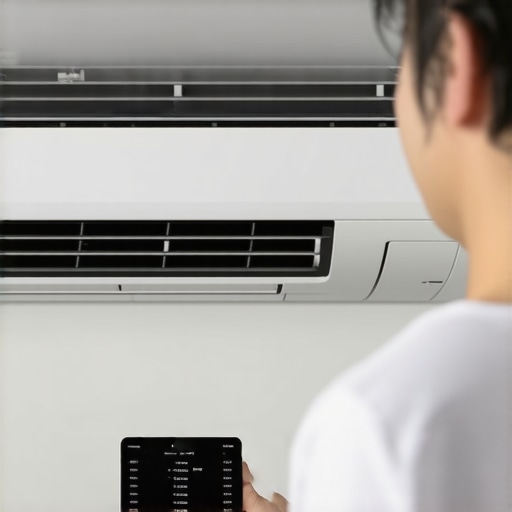
Over time, I discovered that optimizing home cooling isn’t just about gadgets—it’s about understanding the subtle nuances that truly make a difference. One insider lesson I learned was the importance of sensor placement; placing a sensor near a door or window can lead to inaccurate readings—trust me, my early experiments taught me the hard way. Additionally, I realized that even the most advanced smart AC won’t perform optimally without consistent maintenance, like cleaning filters and updating firmware—small steps that yield big savings. Finally, I found that integrating multiple smart devices, such as humidity sensors and occupancy detectors, creates a more cohesive and efficient cooling environment—turning a simple setup into a personalized climate control system that adapts as you go. This journey revealed that effective room cooling combines technology and thoughtful attention, transforming my understanding from basic operation to strategic mastery, and I hope it inspires you to explore deeper into smart home innovations for ultimate comfort.
http://Emily%20Johnson
I totally relate to the frustration of constantly adjusting timers or fiddling with the AC settings during hot days. Since implementing smart sensors in my home last year, I’ve noticed a significant difference—not just in comfort but also in my energy bills. It’s fascinating how these small devices can adapt to room activity and temperature fluctuations more efficiently than manual timers. I especially agree with the importance of proper sensor placement; I once placed mine near a drafty window, and it kept turning off the AC prematurely. Learning to position sensors at various strategic points really made a difference. I’m curious, has anyone tried combining smart sensors with occupancy detection or other smart home integrations? I’ve found that linking these devices helps optimize cooling even further, especially when nobody’s home or during specific times of the day. It seems like the future of home climate control is really shifting toward these intelligent solutions. Would love to hear about other experiences and tips for maximizing their effectiveness.