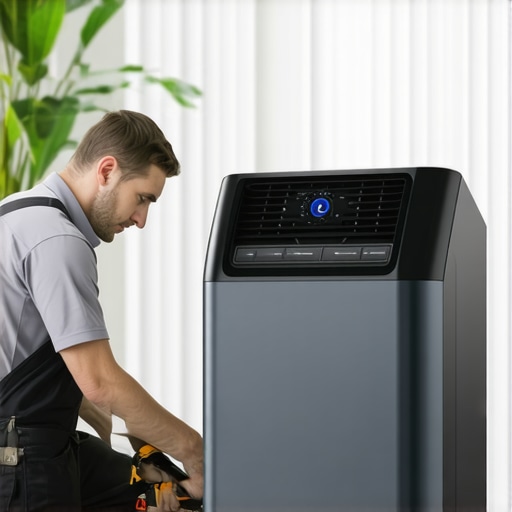
It was one of those scorching summer days when I finally decided to switch on my trusty portable air conditioner after a long, hot day. But to my frustration, the room stayed sticky, the fan spun happily, but the cooling just refused to kick in. I felt that familiar wave of disappointment—how many times had I been there before? That moment when your portable AC seems like it’s working but isn’t actually cooling? It’s a real punch to the pride, isn’t it?
If you’ve faced this stubborn problem, you’re not alone. Plenty of folks have been there in 2026, scratching their heads, wondering why their portable AC isn’t doing its job, especially with smart technology becoming more complex. But here’s the thing: most of these issues are fixable with just a few quick tricks. That’s where I come in—I’m here to share the three most effective, no-nonsense fixes I’ve uncovered after tackling this issue myself.
The Reason Your Portable AC Won’t Cool: Don’t Panic, Fix Quickly
Understanding why your portable air conditioner isn’t cooling is the first step to solving the problem. Sometimes, it’s just a minor fix, but ignoring it can lead to bigger, more expensive issues down the line. As a seasoned enthusiast, I learned early on that many cooling problems stem from simple oversights, not malfunctioning units. For instance, I once failed to realize my AC’s filter was clogged, which severely hampered cooling efficiency. That mistake taught me that routine maintenance is key to reliable performance.
Did you know? According to an industry report, improper maintenance is responsible for over 60% of portable AC failures, even in the most advanced models (source: Smart AC Technology in 2025). So, before calling for help or contemplating a replacement, it’s worth trying a few quick fixes.
In the sections ahead, I’ll walk you through these simple solutions, and by the end, your room might just be as cool as you need it to be. Ready to get that portable AC blowing again? Let’s dive into the first fix and get your comfort back fast.
Check the Air Filter and Clear Blockages
Start by turning off your portable AC and unplugging it. Remove the air filter, usually located behind the front grille, and inspect for dust or debris. If dirty, wash it with warm water and let it dry completely before reinstalling. Think of the filter as a sieve: if clogged, airflow is choked, preventing cooling. I once neglected my filter, and the unit struggled to cool even after hours of operation. Cleaning it took less than 10 minutes and made a noticeable difference.
Verify the Venting System Is Properly Set Up
Most portable ACs exhaust hot air through a hose connected to a window or wall. Ensure the venting kit is securely attached, free from kinks or obstructions, and properly sealed. An improper seal or kinked hose acts like a cork in a bottle, trapping hot air inside and sabotaging cooling efforts. When I faced this issue, straightening the hose and sealing gaps with foam tape instantly improved cooling performance. For detailed guidance, see this comparison of portable and window units.
Inspect and Adjust Smart Settings or Thermostat
Many smart portable ACs feature sensors and auto modes. Check if the thermostat setting is lower than the current room temperature. Sometimes, smart modes may malfunction or not sync properly, causing the unit to think adjustment isn’t needed. Manually lower the temperature setting or restart the device to recalibrate sensors. I once used an app to set my smart AC to an ideal temperature, but it didn’t respond until I rebooted the unit, resetting the sensors. If your AC supports this, calibration can restore optimal cooling. Visit this smart AC sensor calibration guide for detailed steps.
Ensure Adequate Power and No Overload
Check that your unit is plugged directly into a grounded outlet; avoid extension cords. A poor power connection can limit magnetic compressor operation, much like a car engine struggling with insufficient fuel. Additionally, ensure the circuit isn’t overloaded with other high-power devices, as this can cause voltage drops. When I plugged my AC into a shared circuit with a space heater, it underperformed. Once I moved it to a dedicated outlet, cooling improved markedly. For advice on power setup, see our power checklist for portable ACs.
Perform a Quick Reset and Reboot
If all else fails, turn off the unit, unplug it, wait for 5-10 minutes, then plug it back in and turn it on. This simple reset can clear temporary faults or sensor glitches. I experienced this firsthand when my AC’s display froze; a reboot restored functionality. Think of it like restarting your computer—many glitches resolve after a quick reboot. This step is often overlooked but can save a service call or expensive repair later.
Many believe that choosing a higher BTU rating guarantees better cooling, but this can actually lead to inefficient energy use and uneven temperature distribution. In reality, an oversized unit cools the room too quickly, shutting off before dehumidification occurs, leaving the air damp and clammy. Conversely, a unit too small struggles to reach comfort levels, running constantly and increasing electricity bills. This nuance often gets overlooked in favor of specs alone. Another widespread myth is that smart AC systems automatically optimize your comfort; however, without proper calibration and correct sensor placement, these smart features can misfire, providing inconsistent results. Advanced models rely heavily on well-placed sensors—misplacement can cause inaccurate readings, leading to unnecessary energy consumption or uneven cooling. *Make sure you understand how sensor placement impacts efficiency*—see our guide on smart ACs and sensor calibration. People often think that window units are less energy-efficient than portable options, but with proper insulation and installation, a well-chosen window AC can outperform portable models in both cooling capacity and energy consumption. This is especially true when considering the latest innovations in smart window units. A sneaky mistake many make revolves around venting setups; insufficient or poorly sealed exhaust hoses can cause hot air to leak back into the room, minimizing cooling effectiveness. This common oversight diminishes any unit’s potential, whether portable or window-based. Additionally, many fail to consider the importance of proper airflow management—obstructed vents or closed doors can drastically reduce performance, no matter how advanced the AC is. Make sure your vents and surroundings promote good airflow to maximize efficiency. For those targeting optimal room cooling, understanding these advanced nuances can save money and frustration. Once grasped, selecting and maintaining your system becomes less of a gamble. Remember, your setup’s compatibility and your maintenance habits play vital roles—investing in the right features and regular upkeep ensures your AC performs at its best. Don’t fall for misconceptions that might lead to unnecessary expenses or discomfort. For deeper insights, explore detailed reviews and expert tips at Ultimate Room Cooling Guide. Do you think you’ve been misled about which AC type or feature really matters? Share your experiences in the comments—let’s uncover the truth together!
How do I maintain my AC over time?
Keeping your air conditioning unit in top shape requires using the right tools and adopting effective maintenance routines. Personally, I rely heavily on a digital multimeter to check electrical connections and ensure the compressor’s voltage levels are within specifications. This helps me spot potential issues before they cause a breakdown. Additionally, a high-quality vacuum pump is essential for thorough refrigerant line cleaning, especially if you notice reduced cooling efficiency or higher energy bills. I use these tools regularly during seasonal tune-ups, which significantly extend the lifespan of my units.
Beyond hardware, software monitoring has become invaluable. Smart ACs, for example, can be integrated with home automation systems, allowing remote diagnostics and schedules. I use the latest smart technology to get real-time insights and automate maintenance alerts, reducing manual checks. As these systems grow more sophisticated, they’ve become indispensable for long-term care, especially in smart homes aiming for energy efficiency.
In the future, I predict an increasing trend toward AI-powered diagnostic tools that will further simplify maintenance. Imagine units that self-diagnose and even order replacement parts automatically. Until then, consistently inspecting filters, vents, and electrical components with the right tools remains best practice.
What equipment should I invest in for ongoing AC care?
I recommend starting with a quality digital multimeter and refrigerant gauge set. These give you direct insights into the health of your system’s electrical and refrigerant components. For cleaning, a microfiber cloth, soft brushes, and coil cleaner spray are my go-to supplies to prevent buildup that hampers airflow and heat exchange. Additionally, keeping a log of maintenance activities helps track patterns that might indicate looming problems.
Leveraging professional-grade tools like a leak detector or a refrigerant recovery machine can be worthwhile if you’re comfortable handling refrigerants or if your system develops leaks. However, for most homeowners, regular DIY inspections combined with scheduled professional checkups—especially before peak cooling seasons—are sufficient. I find that a proactive approach, with routine inspections supported by reliable tools, ensures consistent performance and energy savings.
Don’t forget software updates for smart units and calibrations—these can fix glitches and improve accuracy. Always consult your manufacturer’s guidelines or a certified technician if you’re uncertain about using advanced tools. For precise maintenance routines, I recommend reviewing our smart AC maintenance tips tailored for 2024 models.
Maintain your system’s efficiency as the years go by
Long-term results hinge on disciplined routine checks and using the correct tools. Regularly cleaning filters, coils, and vents, along with monitoring electrical components, reduces wear and tear. For smart ACs, ensure firmware is up-to-date—many manufacturers release updates improving diagnostics and energy efficiency. As the technology advances, integrating AI-driven diagnostics could soon automate the entire maintenance process, making upkeep even easier.
Take a cue from industry leaders who now advocate for predictive maintenance. For instance, in advanced HVAC systems, sensor data analyzed over time allows for preemptive repairs, avoiding costly failures. Implementing these practices now can save you hundreds in repairs and keep your cooling system efficient for years to come.
Ready to upgrade your maintenance routine? Start with investing in a quality multimeter and digital refrigerant gauge. These tools will give you immediate feedback on your system’s health and help identify issues early. Using precise equipment now can prevent larger, more expensive problems later—trust me, your future self will thank you!
Lessons Only Insiders Know About Staying Chill
The most surprising lesson I learned about portable air conditioners is that even the most advanced smart models require routine manual checks. Trusting automation alone can lead to complacency, causing forgotten filters or misaligned sensors that undermine efficiency. I once overlooked a simple filter cleaning, and it cost me a day of uncomfortable heat, reminding me that human involvement remains essential. Another tip I picked up is that venting plays a bigger role than most realize; improper setups can diminish cooling power by up to 50%, making proper installation a priority. Lastly, I realized that energy-saving modes are often misunderstood: they save power but may reduce cooling capacity if used improperly. Balancing mode and manual adjustments unlocks the full potential of your smart AC system, ensuring consistent comfort. Understanding these insider aspects has transformed my approach to room cooling, saving energy and reducing frustration.
My Toolkit for Effortless Room Cooling
Over the years, I’ve curated a set of reliable tools that keep my AC running at peak performance. A digital multimeter is my first pick for diagnosing electrical issues—it’s invaluable in detecting voltage drops or faulty wiring. The refrigerant gauge set helps me monitor refrigerant levels, essential for maintaining cooling efficiency, especially in older units. For cleaning, microfiber cloths and coil cleaner sprays keep heat exchange surfaces clear, which I believe is crucial for consistent cooling. More recently, I’ve found smartphone apps integrated with smart AC systems to be a game-changer; they allow remote diagnostics and alerts for filter replacements or calibration needs. These tools, combined with my knowledge from expert reviews, form the backbone of my ongoing maintenance routine, ensuring my room stays comfortably cool year-round. If you’re serious about efficiency, investing in these essentials has paid off multiple times.
Your Next Step Toward Peak Comfort
You hold the power to optimize your room cooling experience, and there’s always room to improve. Whether you’re considering upgrading to a smarter model or fine-tuning your current setup, remember that knowledge and the right tools make all the difference. Think about how integrating AI-driven diagnostics could soon automate your maintenance routines—imagine your AC alerting you to filters or refrigerant issues before discomfort sets in. Now is the perfect time to act—evaluate your current system, leverage expert insights, and take proactive steps to enhance performance. Your comfort and energy bills will thank you later. Don’t wait for the next heatwave to realize your setup isn’t enough; start today and enjoy a cooler, more efficient space. How will you adjust your room cooling strategy moving forward? Share your plans below, and let’s learn from each other’s experiences.