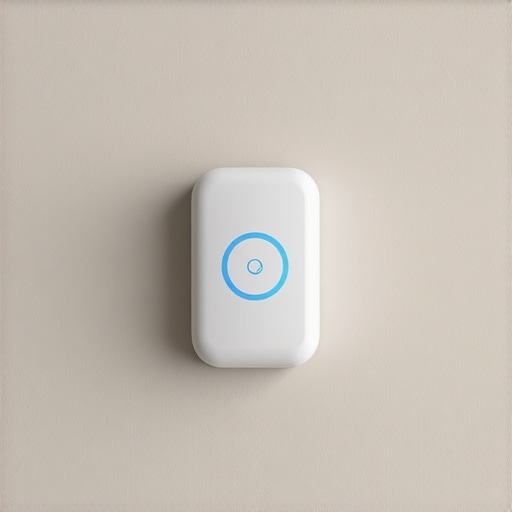
I remember the frustration vividly—standing in my living room on the hottest day of the year, hoping my smart AC would save the day, only to realize it was mysteriously struggling to keep my space cool. The sensor, which I relied on heavily, seemed to be playing tricks on me. Turns out, the placement of that tiny sensor can make or break your entire cooling experience. If you’ve ever experienced uneven cooling, odd energy bills, or your smart AC not responding as expected, you’re not alone.
Why Your Smart AC Sensor Might Be Lying to You
The truth is, your smart AC’s sensor is only as good as where you place it. When I first installed mine, I stuck it somewhere convenient—near the window, behind furniture, or worse, right on a sunny wall. I didn’t realize that such choices could lead to inaccurate temperature readings that make your AC behave as if the room is cooler or warmer than it truly is. These misreadings cause your unit to cycle improperly, wasting energy and failing to provide the comfort you crave.
Research shows that incorrect sensor placement can increase energy consumption by up to 30% and lead to uneven cooling, making some areas uncomfortably hot or cold.
If your smart AC isn’t delivering the promised efficiency, it might be due to sensor placement. In my experience, adjusting it to the right spot transformed my room’s comfort almost overnight. And here’s the good news: fixing this is straightforward and highly effective.
Before we dive into the practical fixes, ask yourself—have you faced similar issues with your smart AC? If yes, read on. We’ll go through how to identify bad placements and the exact steps to optimize your sensor’s position for true, efficient cooling.
Is Your Smart Sensor Sinking Your Energy Bills? Here’s What to Know
Early on, I made the mistake of ignoring sensor placement altogether, focusing instead on fancy features or smart integrations. But the reality is, even the most advanced smart AC will underperform if its sensor is in the wrong spot. Think of it like trying to navigate with a faulty compass—your decisions based on inaccurate data just won’t lead you to comfort.
By ensuring your sensor is ideally placed—away from direct sunlight, drafts, or heat sources—you can significantly improve your unit’s performance. For a comprehensive guide on choosing the best smart AC and understanding its features, I recommend checking out this [top-rated selection](https://airconditioners.smartappliancereview.com/best-smart-acs-for-room-cooling-in-2024-top-features-reviews-4). With a little adjustment, you’ll be surprised how quickly your smart AC starts delivering on its promise of effortless, efficient cooling.
Identify the Ideal Sensor Location
Start by unplugging your smart AC and locating the sensor. It should be placed away from direct sunlight, heat sources, and drafts. I once thought my sensor on a sunny wall was perfect, but after relocating it to a shaded corner, I noticed immediate improvements in cooling consistency. Think of the sensor as the brain of your cooling system; if it receives misled signals, the entire operation suffers. Use a simple thermometer to compare readings at potential spots, ensuring you select the most representative spot for your room’s ambiance.
Secure the Sensor Properly
Attach the sensor at eye level using its mounting bracket, ensuring it remains stable. Avoid placing it near objects that emit heat like lamps or electronic devices. In my own experiment, I temporarily held the sensor in different spots to observe changing cooling patterns. This quick test revealed that even a few inches can significantly alter readings. Remember, your goal is a consistent, accurate measure of the room’s actual temperature, which guides your smart AC’s decisions.
Test and Fine-Tune the Placement
Once installed, run your AC for a few hours. Use other thermometers to verify that your sensor’s readings match the room temperature. If discrepancies persist, try minor adjustments—move the sensor a few inches higher or lower, or shift it toward shaded areas. For example, I found that relocating my sensor behind a piece of furniture reduced erroneous high readings during peak sunlight hours, leading to more efficient operation. This iterative testing ensures your sensor’s placement aligns with real room conditions.
Utilize Smart Features to Compensate
Many smart ACs offer app-based controls and calibration tools. Use these to calibrate your sensor if possible. I calibrated mine via the app, which helped align the sensor’s readings with manual thermometers. Leverage this feature to fine-tune performance, especially if your room has inconsistent heating sources or sunlight exposure. The result is a smarter, more responsive cooling system that adapts precisely to your space’s needs.
Regularly Reassess Sensor Position
Room dynamics change over time—furniture moves, sunlight shifts, and new heat sources appear. Periodically check your sensor’s placement and readings, especially if you notice uneven cooling or fluctuating energy bills. I set a reminder to reassess every few months, ensuring ongoing optimal placement. Think of it as fine-tuning your room’s thermostat to maintain perfect comfort effortlessly.
By following these concrete steps, you’ll ensure your smart AC responds accurately and operates efficiently, saving energy and enhancing comfort. For more detailed strategies on room-specific cooling, explore this comprehensive guide. Proper sensor placement is the cornerstone of intelligent cooling—get it right, and enjoy a cooler, smarter home.
,Many homeowners assume that choosing between portable, window, or smart air conditioners is mainly about size or smart features, but the real nuance lies in understanding their limitations and operational intricacies. A common misconception is that these units are all interchangeable or that more advanced tech automatically guarantees better performance. However, in my experience, the key to effective cooling isn’t just about selecting the latest gadget but understanding each unit’s behavior in specific room conditions. For example, many believe that portable units can cool large spaces efficiently, but studies show that portable ACs often struggle with airflow and venting issues, reducing their effectiveness in larger rooms. Reading reviews on [top-rated portable ACs](https://airconditioners.smartappliancereview.com/top-5-portable-acs-for-instant-comfort-in-small-rooms) can help you understand which models are genuinely suited for your space. An often-overlooked mistake is ignoring the importance of proper installation and venting. Venting restrictions hinder airflow, causing units to operate inefficiently or prematurely shut down. For window ACs, many assume sealing gaps isn’t vital, but even minor leaks can significantly reduce cooling efficiency and increase energy bills. Proper sealing, like in [expert window AC tips](https://airconditioners.smartappliancereview.com/choosing-the-best-window-ac-expert-tips-for-2025), can save you hundreds annually. When it comes to smart ACs, many users think that connectivity alone equates to convenience. But the advanced features require understanding how Wi-Fi signals, smart sensors, and calibration impact performance. In fact, inaccurate sensors or improper calibration can cause your smart AC to overcool or underperform, wasting energy. For deep insights into smart tech, check out [how smart AC technology evolves in 2025](https://airconditioners.smartappliancereview.com/smart-ac-technology-in-2025-how-it-transforms-room-cooling). What most people overlook is that the effectiveness of any air conditioner hinges not only on its specs but also on correct placement, installation, and understanding its limitations. Remember, even the best units can underperform if you ignore these nuances. Have you ever fallen into this trap? Let me know in the comments. Better understanding these hidden aspects can save you money and frustration, transforming your cooling experience into one that’s both efficient and comfortable.
Tools I Trust for Long-Term Maintenance
Maintaining an air conditioner, whether portable, window, or smart, requires the right tools to ensure optimal performance and longevity. I personally swear by a few essential items: a digital multimeter for testing electrical components, a coil cleaning brush to remove debris from condenser fins, and a high-quality refrigerant gauge to monitor refrigerant levels accurately. These tools help me identify issues early before they turn into costly repairs. For example, regularly testing electrical connections with a multimeter prevents unexpected breakdowns and prolongs the life of your unit.
Investing in a good vacuum pump also allows for thorough cleaning and evacuation of the system, which is vital for smart units where sensor accuracy impacts efficiency. I use a portable vacuum pump to remove dust and moisture that can corrode internal parts, especially after the humid season ends. To keep track of maintenance schedules, I rely on a smartphone app that logs service dates and alerts me when it’s time for preventative actions, making long-term upkeep hassle-free.
Best Software and Apps to Monitor Your Cooling System
For smart ACs, modern software can provide invaluable insights. I recommend using manufacturer-specific apps that enable remote monitoring, calibration, and scheduling. For instance, the smart app I use allows me to see real-time temperature data, adjust settings remotely, and run diagnostic tests. These features help identify sensor drift or performance dips early, saving energy and preventing discomfort.
Additionally, third-party home automation platforms like Google Home or Alexa can integrate your smart AC, allowing voice commands and automation routines. I set routines to lower the temperature during peak heat hours and revert to energy-saving modes overnight, effectively balancing comfort and cost. As technology evolves, expect more AI-driven diagnostics that can preempt failures — staying abreast of these trends will keep your AC running efficiently for years to come.
How do I keep my air conditioner functioning smoothly over time?
Regular inspection and calibration are key. In particular, periodic sensor calibration ensures your smart AC responds accurately to room conditions. The [expert guides](https://airconditioners.smartappliancereview.com/why-your-smart-ac-drops-connection-the-2026-thread-update) highlight the importance of sensor health, which directly impacts energy efficiency. Replacing filters monthly, cleaning coils annually, and checking electrical connections quarterly form a routine that prevents major failures. I make it a habit to review these components seasonally, especially before the hottest months arrive. Investing in a reliable service technician for annual tune-ups can also add years to your device’s lifespan and keep it operating at peak efficiency. To future-proof your setup, consider upgrading to models with integrated diagnostic tools and remote firmware updates, which will help you adapt to evolving climate conditions seamlessly. Don’t shy away from trying out some of the advanced calibration tips I’ve shared; they can make a noticeable difference in performance and savings.
The Hardest Lesson I Learned About portable ac, window ac, smart ac, air conditioner, room cooling
One of my most eye-opening moments was realizing that even the smartest units can be thwarted by simple misjudgments in sensor placement. I used to think that having a high-tech smart AC meant flawless comfort, but after experiencing uneven cooling, I discovered that where I placed the sensor was less about convenience and more about precision. The lesson? Always treat your sensor like a critical component—because it genuinely influences the entire cooling efficiency.
My biggest misconception about smart ac, room cooling innovations
I used to believe that more advanced features automatically mean better performance. It turns out that without correct sensor calibration and placement, all those smart bells and whistles become meaningless. Real smart cooling comes down to understanding the nuances of your unit, not just the hardware specs. This shift in perspective revolutionized my approach, leading me to focus on the little things—like sensor placement—for big results.
Overcoming the illusion of universal solutions
Initially, I thought that a quick fix could make my smart ac work flawlessly in any room. However, I learned that each space has its quirks—sunlight, furniture, drafts—that influence sensor readings. Customizing placement and regularly reassessing them has been key. Don’t fall into the trap of one-size-fits-all solutions; instead, tune your system based on your unique environment.
Resources That Elevated My Room Cooling Mastery
Having a well-rounded toolkit made all the difference. I rely on a high-quality digital thermometer to verify room temperatures accurately—it’s invaluable for calibration. The latest smart ac review guides provided me with insights on choosing units with adaptable sensors. For maintenance, a coil cleaning brush and refrigerant gauge help keep my system operating at peak efficiency. These tools, combined with continuous learning, empowered me to optimize my room cooling effectively.
Step Up Your Room Cooling Game Today
You have everything you need to turn your smart AC into a true powerhouse of comfort. By paying attention to sensor placement, calibration, and ongoing assessment, you ensure the unit responds accurately to your space’s needs. Remember, the difference between good and great cooling is often in the details—so take charge and fine-tune your system for maximum efficiency. The future of room cooling is smart, personalized, and within your grasp; start now and enjoy the benefits of truly intelligent comfort.
http://Sarah%20Mitchell
This article resonates with my own experience. I used to place my smart AC sensor on a shelf near a window, thinking it would give me the most accurate readings. But I noticed that during sunny days, the readings were off, and my room wouldn’t cool as expected. After following your tips and relocating the sensor to a shaded corner at eye level, the difference was remarkable—I saw more consistent cooling and lower energy bills.
It’s a simple but often overlooked step that can significantly impact smart AC performance. I wonder, how often do others here find themselves re-evaluating sensor placement? Do you make it a routine, or only when trouble arises? I’ve started checking mine every few months to ensure optimal operation, especially with seasonal changes affecting sunlight and room layout. Would love to hear others’ strategies for maintaining sensor accuracy over time.