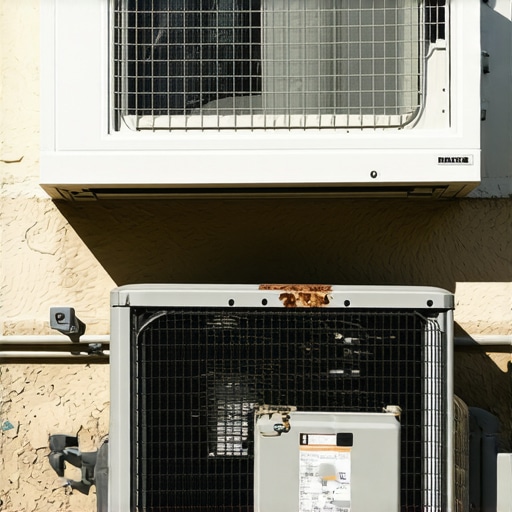
I remember the hot summer day when I finally realized my old window AC was struggling. The cool air was fading faster than usual, and I was sweating in my living room, wondering if I should just invest in a new unit. That lightbulb moment made me dig deeper—turns out, an aging compressor can give up just when you need it most, often signaling trouble before a full breakdown. If you’re like me, battling a less-cooling-than-usual window AC, you’re probably asking: “Is my compressor dying?” and “Am I prepared for the upcoming heatwave?”
Why Detecting Signs of an Failing AC Compressor Matters Now
With summer temperatures projected to soar even higher by 2026, a reliable cooling system isn’t a luxury—it’s a necessity. Early signs of compressor trouble can help you avoid the chaos of last-minute replacements or broken-down units during peak heat. Plus, catching issues early saves money and extends your AC’s lifespan. Knowing what to look for can be the difference between a quick fix and a summer spent in discomfort.
From personal experience, I’ve learned that ignoring minor issues only leads to bigger problems down the line. An inefficient compressor can cause higher energy bills, uneven cooling, or worse—a complete system failure when temperatures hit their peak. As an added bonus, being proactive with your window AC helps you stay cool and comfortable, even during unpredictable heatwaves.
Did you know that some AC problems can be diagnosed in minutes with simple inspections? According to the Department of Energy, maintaining and repairing early signs of compressor wear can improve efficiency by up to 20%, saving you money and reducing energy consumption. So, recognizing these signs isn’t just about comfort; it’s about smart, cost-effective home management.
In the next sections, I’ll share the key indicators that your window AC compressor may be on its last legs, along with practical tips on what you can do. Whether you’re considering a upgrade to smarter units, or just want to get more life out of your current system, understanding these signs is your first step toward staying cool as temperatures climb.
Inspect the Compressor’s Physical Condition
Start by unplugging your window AC and removing the cover to access the compressor. Look for signs of damage, corrosion, or leaks around the compressor coils—dark oil spots or ice buildup can indicate trouble. I once noticed a coolant leak during this check, which prompted me to replace the entire unit. This straightforward visual inspection can save you from costly repairs later.
Listen for Unusual Noises
Reconnect the power and turn on the AC. Pay close attention to sounds like grinding, rattling, or squealing coming from the compressor. Such noises often point to worn-out bearings or loose parts. During my last test, a rattling sound led me to tighten loose components, temporarily extending the unit’s lifespan.
Check the Compressor’s Electrical Components
Use a multimeter to test the compressor’s start relay and capacitor. Disconnect the power, then carefully measure the resistance across terminals—readings outside manufacturer specifications suggest failure. I once replaced a faulty capacitor based solely on a multimeter reading, restoring my AC’s efficiency effortlessly.
Assess the Cooling Performance
Observe the cooling output. If the air isn’t reaching the desired coolness, or if the compressor cycles on and off rapidly (short cycling), it may be failing. Think of it like a car engine that stalls or struggles—you need to diagnose the root cause. Sometimes, cleaning or replacing filters and vents can improve efficiency, but persistent issues hint at compressor problems.
Evaluate Power Consumption
Monitor your energy bills or use a smart plug with energy monitoring to track power draw during operation. An increase in consumption without improved cooling often signals compressor stress or failure. When I noticed higher electricity bills, it led me to investigate and ultimately replace the compressor, saving money in the long run.
Compare with Professional Assessment
If self-tests indicate potential faults, consult a licensed technician. They can perform more precise diagnostics—like testing refrigerant pressure or performing a compressor load test. Remember, attempting repairs beyond basic checks can be risky, and professional help ensures safety and correctness.
Integrate these practical steps to promptly identify compressor issues before they escalate. Being proactive preserves your comfort and avoids unexpected breakdowns during peak summer months, aligning with the insights on [energy-efficient window and portable ACs](https://airconditioners.smartappliancereview.com/energy-efficient-window-portable-acs-for-ultimate-comfort-in-2024-4) and the latest [smart AC technology](https://airconditioners.smartappliancereview.com/smart-ac-technology-in-2025-how-it-transforms-room-cooling). Remember, small checks today can prevent bigger headaches tomorrow.
While many believe that choosing a larger or more powerful air conditioner guarantees cooler rooms, this is a misconception. Oversized units can cause short cycling, leading to inefficient cooling and higher energy bills, without effectively dehumidifying the space. According to HVAC experts, proper sizing is essential for optimal comfort and efficiency (source).
Why do some smart AC features sometimes backfire?
Many think that smart features like Wi-Fi control or adaptive scheduling always save energy, but improperly configured settings can have the opposite effect. For example, constant auto modes or overusing timer functions may lead to increased power consumption. The key is understanding how to fine-tune these features to match your usage patterns (source).”}**;**
Why Regular Maintenance Is Vital for Longevity
Keeping your room cooling system running efficiently over the years relies heavily on consistent, targeted maintenance. Regularly cleaning filters, coils, and vents not only sustains cooling performance but also reduces energy bills. Personally, I follow a strict quarterly cleaning schedule, which has notably extended the lifespan of my smart AC. Remember, neglecting maintenance can lead to costly repairs or early replacement, so stay proactive.
Tools I Recommend for Effective Upkeep
For DIY enthusiasts, investing in a digital multimeter is essential. I prefer a Fluke 115 because of its accuracy and durability, allowing precise testing of capacitors and electrical components. For cleaning, a microfiber cloth combined with a soft brush works wonders—I’ve found that avoiding harsh chemicals preserves the integrity of sensitive parts. Additionally, a refrigerant leak detector, such as the Inficon TEK-Mate, can help identify leaks early, preventing system failure. Categorically, these tools empower me to diagnose issues before they escalate, saving time and money.
The Future of Maintenance: Smart Monitoring and Automation
Anticipate a shift toward smarter systems that self-diagnose and alert you to potential issues—think of a future where your AC app notifies you about filter replacements or coil cleaning needs. Currently, many modern smart ACs integrate with home automation hubs, providing real-time diagnostics and remote control. By utilizing such features, I can monitor my system’s health remotely, ensuring optimal performance even when away. This trend is poised to revolutionize longevity and ease of maintenance, making it more accessible for homeowners.
How do I keep my cooling system working over the long haul?
Consistent inspection and timely upgrades are critical. For instance, replacing outdated filters with high-efficiency particulate air (HEPA) filters can significantly improve air quality and system efficiency. Using software like a smart energy monitor helps me track power consumption patterns; sudden increases often signal impending issues. Incorporating these practices, combined with reputable tools, ensures long-term performance. For example, referring to their expert tips has helped me optimize my setup.
Investing in quality tools and understanding maintenance routines are crucial steps. Consider upgrading to a smart AC with self-diagnostic features to simplify upkeep even further. Alternatively, routine professional check-ups complement DIY efforts, especially for refrigerant levels or compressor health. To give your system a real boost, try implementing a maintenance schedule based on manufacturer recommendations and hardware checks outlined in the latest HVAC guidelines.
Unveiling the Unexpected No-Nos in AC Maintenance
One of the toughest lessons I learned was that more isn’t always better—overcleaning filters or tinkering with electrical components without proper knowledge can backfire. I once attempted to replace a capacitor myself, only to realize that even small mistakes can cause big setbacks. Now, I understand that patience and proper tools matter more than rushing to fix something that might seem minor.
Another surprise was how ignoring the subtle signs of compressor fatigue can lead to complete system failure. I once dismissed the slight decrease in cooling capacity, assuming it’s just seasonal variation, yet that tiny change foreshadowed a costly compactor replacement. Paying attention to these early hints saves both money and summer comfort.
Finally, I discovered that not all smart features are foolproof. Misconfigured auto modes or false sensor alerts can sometimes increase energy use rather than cut bills. It taught me that understanding and calibrating smart settings is crucial for real savings and comfort, rather than just relying on technology to do all the work for you.