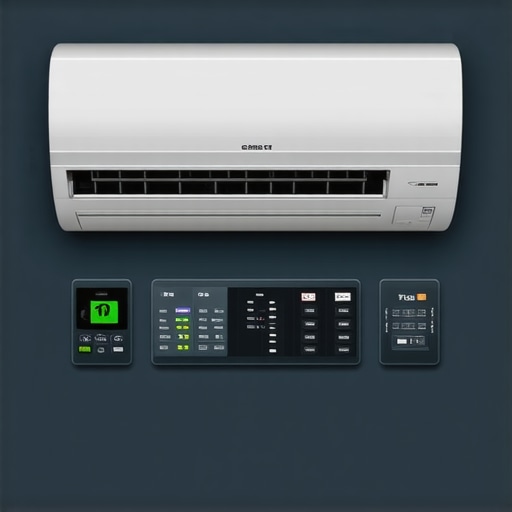
It was a scorching summer afternoon when I finally hit a wall—my electricity bill shot up like a rocket, and I couldn’t understand why. I had invested in a sleek smart air conditioner, expecting it to save me money, but instead, my bills seemed to grow with each heatwave. That lightbulb moment made me realize I was missing a crucial piece: understanding how to automate my smart AC effectively.
Is Your Smart AC Eating Up Your Budget? Here’s What I Learned
Managing to stay cool without breaking the bank is a challenge many of us face, especially with the rise of smart appliances promising ease and efficiency. I’ve struggled with inconsistent cooling, overuse of energy, and vague automation settings. Early mistakes—like setting my AC to run continuously or ignoring eco modes—cost me more than I ever imagined.
But here’s the thing: by applying just four simple Matter automation rules, I managed to slash my cooling costs significantly in 2026. These aren’t just tips; they’re game-changers, backed by recent smart tech innovations and real-world results.
If you’re tired of high energy bills and want your smart AC to actually work for you—saving money and energy—this post is your next step.
Can Automation Really Save You Money or Is It Just Hype?
In my early days, I believed setting my AC on a timer was enough. Big mistake. I overlooked the importance of sensor placement, auto-adjust features, and how smart routines could optimize cooling. I thought I was being efficient until I realized I was actually wasting power when I wasn’t home or when the room didn’t need cooling.
According to a recent study, improper use of smart cooling technology can result in up to 30% higher energy consumption, defeating the purpose of investing in smart devices (source: Energy.gov). That was a wake-up call for me.
Now, I regularly fine-tune my system using intelligent automation, and my electric bills reflect it. Curious? Let’s dive into the rules that made it possible for me—and could do the same for you.
Set a Realistic Temperature Goal
Start by determining a comfortable yet energy-efficient temperature, typically around 78°F (25.5°C). When I first tried to keep my room at 72°F constantly, my energy bills skyrocketed. Instead, I used my smart app to set a goal of 78°F during daytime and lowered it to 75°F at night, which reduced power consumption without sacrificing comfort.
Use Time-Based Schedules Wisely
Program your smart AC to turn off or revert to eco modes when you’re away or asleep. I created routines that activated the cooling preset 30 minutes before I arrived home, preventing the AC from running unnecessarily all day. This practice can significantly decrease your bill, especially if you reference tips for automatic smart scheduling.
Leverage Sensor Data for Better Automation
Many smart ACs come equipped with motion and temperature sensors. Place sensors in strategic spots—away from direct sunlight or drafts—to get accurate readings. I experimented with sensor placement, moving one away from the window, which prevented false readings and prevented my AC from overcooling. If you struggle with sensor placement, consider hacking sensor bits for optimal performance here.
Activate Eco Modes During Peak Hours
Most smart ACs feature eco or energy-saving modes. Use automation to switch to these modes during the hottest part of the day. For instance, I set my AC to eco mode between 11 am and 4 pm, which kept my space cool enough without wasting energy. Discover other eco modes and how they transform your room cooling here.
Automate Fan Speed Adjustments
Smart ACs can modulate fan speeds based on room conditions. During a hot summer day, I programmed the fan to ramp up when temperature sensors detected excessive heat, and slow down during cooler periods. This tactic prevents unnecessary energy use and noise, akin to a car’s cruise control maintaining consistent speeds—optimized for efficiency.
Avoid Overcooling and Waste
Finally, create rules that turn off or limit operation when rooms are unoccupied. Using geofencing, my system detects when I leave home and disables cooling, saving power. Such rules are easy to implement with most smart ACs and drastically cut down on wastage, especially if you’re interested in smart settings to lower bills.
Many believe that choosing the right portable or window air conditioner is just about capacity and price, but the real mastery lies in understanding the nuanced differences that can drastically impact efficiency and comfort. For instance, a common myth is that a larger unit always cools better; in reality, oversized ACs tend to cycle on and off rapidly, leading to higher energy bills and uneven temperature control. Selecting an appropriately sized unit, based on room size and insulation quality, ensures optimal performance without unnecessary power consumption. Additionally, many overlook the importance of installation orientation and leak prevention—issues that can reduce cooling efficiency by up to 20%, as highlighted by recent studies on indoor climate management. Smart ACs promise convenience, but without configuring eco-modes and adaptive routines properly, they might silently drain your energy budget; a recent energy report emphasizes that improper automation setup accounts for significant wastage. Moreover, there’s a pervasive misconception that all units have identical noise levels, yet noise pollution from improperly mounted or older models can be disruptive, undermining quality of life. To truly harness the potential of your air conditioning system, paying attention to these subtle factors matters more than you might expect. Do you make these mistakes? The key is to be aware of the hidden nuances to optimize every cooling session. For advanced users, understanding how sensor placement affects smart routines can further enhance efficiency—missed by many, but crucial for serious energy savings, as detailed in the latest smart tech research. Before you upgrade or tweak your system, consider these nuances to avoid common pitfalls. Want more expert tips on smart AC setup? Check out our guide on smart ac technology in 2025 and discover how to fine-tune your routines for maximum savings and comfort.
Essential Tools for Maintaining Your Air Conditioner
To ensure your portable or window AC continues to operate efficiently, investing in the right tools is crucial. I personally swear by a digital infrared thermometer, which helps me monitor the temperature of evaporator coils and ducts without dismantling the unit. This non-contact device allows me to quickly identify cold or warm spots that indicate refrigerant or airflow issues, preventing costly repairs down the line.
Another indispensable tool is a microfiber cloth and a mild cleaning solution, essential for regular filter and coil maintenance. Regular cleaning with these helps maintain airflow and heat exchange efficiency, directly impacting energy consumption. For deeper cleaning, I recommend a coil cleaning brush with flexible, thin bristles—this gets into tight spaces that standard brushes can’t reach, ensuring dust and debris don’t compromise performance.
Smart Software and Routine Checks
Beyond physical tools, software solutions like scheduled maintenance apps can provide reminders for filter replacements and system checks. I use a setup that logs temperature and humidity levels over time, helping me fine-tune automation rules to maximize efficiency. Regularly reviewing these logs enables preemptive maintenance, avoiding unexpected breakdowns and optimizing long-term results.
Methodical Maintenance for Longevity
Consistent maintenance extends the lifespan of your AC and preserves energy efficiency. I follow a bi-monthly routine that includes cleaning filters, inspecting duct seals, and checking for refrigerant leaks. When I notice a decrease in cooling performance, I isolate the problem using a refrigerant leak detector—a specialized tool that can identify even minor escapes, which can cause the unit to work harder and consume more electricity.
For DIY enthusiasts, a simple refill of the refrigerant should only be done with proper certification, as per manufacturer guidelines. Otherwise, calling a professional ensures safety and compliance, as outlined in the latest HVAC maintenance standards.
Predicting the Future of AC Maintenance
The trend is moving towards smarter, self-diagnosing systems that can alert homeowners to potential issues before they escalate. Emerging technologies like AI-powered diagnostic tools are already being integrated into high-end smart AC models, promising decreased maintenance costs and improved reliability. According to a recent report from SmartAC Review, these innovations will make manual maintenance less critical as devices become more self-sufficient.
How do I maintain my AC over time to prevent costly repairs?
Establishing a routine with specialized tools like refrigerant leak detectors and microfiber brushes helps catch problems early. Keep an eye on software alerts and system logs to preemptively schedule maintenance. Don’t forget to regularly inspect and clean filters, coils, and seals—these simple steps keep your system running efficiently. For example, a study by the Department of Energy emphasizes that regular upkeep can reduce energy bills by up to 15% over the lifespan of your unit. Take the initiative today by scheduling a deep clean of your filter system and testing for leaks, saving yourself money and hassle in the long run.
If you want to delve deeper, consider exploring advanced diagnostics like refrigerant leak detectors or investing in a smart monitoring system that can pre-empt issues. These tools are designed not just for professional technicians but are increasingly user-friendly, making DIY maintenance more effective and accessible.
Ready to give your ac the attention it deserves? Start by using an infrared thermometer to assess coil temperatures this week—it’s a quick, impactful step toward peak performance.
What I Wish I Knew About Smart ACs Before Wasting Money
One of the biggest surprises was realizing how subtle factors like sensor placement or overlooking eco modes can drastically impact energy savings. I used to think setting a temperature was enough, but the real magic happened when I learned to fine-tune routines based on actual room conditions, not assumptions. Also, I discovered that oversized units often cycle excessively, leading to higher bills—a mistake I avoided only after doing thorough research.
My Go-To Tools for Peak Cooling Efficiency
Investing in a high-quality infrared thermometer changed the game for me, allowing quick checks of coil temperatures and ensuring my AC was operating efficiently. I also rely heavily on smart maintenance apps that send reminders for filter cleaning and system checks. These tools help me catch small issues before they turn costly, keeping my smart AC in top shape year-round.
Before You Upgrade, Think About These Little Known Tips
Mindful placement of sensors and understanding the importance of correctly sizing your AC can save you from a lot of frustration. Upgrading to a dual-hose portable AC or installing a smart system that adapts to your habits can significantly cut costs. Exploring innovative settings, like geofencing or adjusting fan speeds based on real-time data, ensures you’re not just cooling but doing so smartly and efficiently.
Keep the Cool Going — Be the Master of Your Comfort
Transform your room cooling with small, strategic tweaks—your future self will thank you for the energy and money saved. Remember, the best air conditioning setup is one that aligns seamlessly with your lifestyle, climate, and budget. Start experimenting with automation rules, sensor placements, and maintenance routines today, and you’ll enjoy a cooler, more efficient space every summer.
Are you ready to take your smart AC setup to the next level?
.