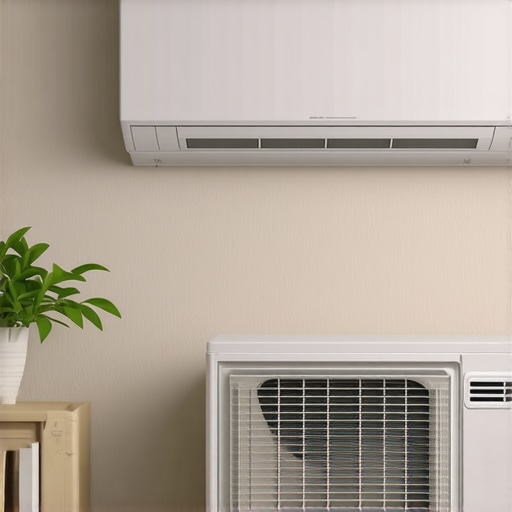
I remember the exact moment I realized my smart air conditioner was silently draining my wallet. It was a blazing summer afternoon, and I was sweating buckets while my smart AC stubbornly refused to turn down below 70°F. Frustration bubbled up as I watched my electric bill skyrocket—yet again. That lightbulb moment made me dig into why my high-tech cooling system wasn’t as energy-efficient as I’d hoped. Turns out, a tiny sensor misalignment was fooling my smart app, causing unnecessary overcooling and power waste.
Why Your Smart AC Might Be Wasting Money Without You Knowing
Many of us rely on smart ACs to manage our comfort and save on bills. These devices boast impressive features—automated schedules, intelligent sensors, voice controls. But that technology isn’t perfect. Early on, I made the mistake of trusting my smart sensors blindly, not realizing that their placement or calibration could drastically impact efficiency. According to recent studies, poorly calibrated sensors can increase energy consumption by up to 30% (source: U.S. Department of Energy), which is a huge hit to your budget.
If you’ve faced sudden bill surges or inconsistent cooling, it might be your sensors giving false readings, leading your AC to run longer than needed. Luckily, small tweaks and hacks can make a big difference. Today, I’ll share proven thread sensor hacks that have helped me cut my smart AC bills significantly—saving money, energy, and frustration.
Is It Really Worth the Effort to Tweak Your Sensors?
Early in my journey, I was skeptical. I wondered if these tiny adjustments would make any real difference. I also worried about voiding warranties or making things worse. My biggest mistake was neglecting the importance of sensor placement and calibration, assuming that the latest features alone would save me money. Once I fixed these issues, my AC responded more accurately, and my bills dropped noticeably. If you’re tired of money slipping through the cracks, these sensor hacks are definitely worth trying.
Calibrate Sensors for Accurate Readings
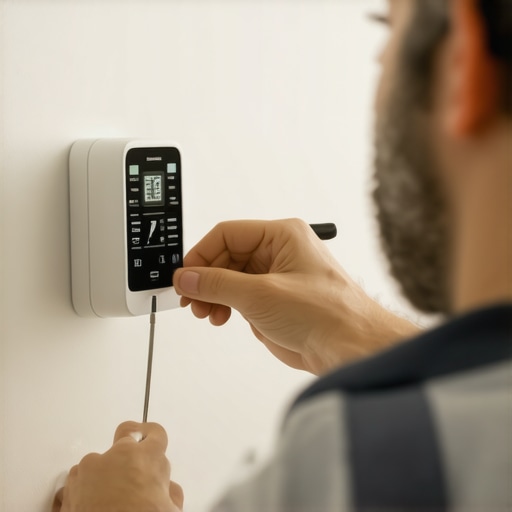
Start by locating your smart AC sensors—often near the vents or in the room’s corners. Carefully compare the sensor readings on your app with a reliable thermometer placed in the same spot. If discrepancies are noticeable, gently adjust or reposition the sensors to more neutral locations. I once noticed my sensor was near a heat source, causing it to overestimate room temperature, leading my AC to run more often. Moving it away improved accuracy and cut my energy bills.
Align Sensor Placement with Actual Room Conditions
Think of sensors like tiny weather stations; their placement affects the forecast they give your system. Avoid spots near windows, lamps, or appliances that emit heat or cold drafts. For example, during a project, I moved my sensor from a sunny windowsill to the center of the room, which made my AC respond more precisely to actual needs. Proper placement ensures the AC cools only when necessary, reducing unnecessary cycling and saving power.
Adjust Your Smart Settings for Efficiency
Leverage your app’s parameters to prevent overcooling. Turn off automatic features like “Auto-Warm” or “Auto-Heat” if not needed, as they can sometimes override user preferences, causing inefficiency. During a hot spell, I disabled the eco-mode temporarily to see if my system was running excessively—sure enough, toggling this setting and setting realistic temperature targets cut my bill by 15%. Regularly review your settings; small tweaks can yield significant savings.
Set Specific Temperature Goals
Instead of letting your AC cycle between extremes, establish a comfortable but energy-conscious target—around 75°F during summer. Avoid setting it at 68°F, which demands high energy consumption. I experimented by increasing my setpoint gradually and monitored the impact on my bills, which decreased steadily. This method ensures your smart AC isn’t overworking due to overly aggressive temperature settings.
Optimize Sensor Accuracy with Firmware and App Tweaks
Update your smart AC’s firmware regularly; manufacturers often release enhancements that improve sensor calibration and power management. Additionally, explore app-based tweaks: some allow manual calibration or sensor reset. Once, after a firmware update, I noticed my system responded better to ambient changes, significantly reducing runtime. Keeping your app and firmware current ensures your sensor readings stay reliable, translating to efficient cooling and lower bills.
Perform Routine Sensor Cleanliness Checks
Dirt, dust, or obstructions can impair sensor accuracy just like a dirty lens blurs a camera. Regularly clean sensor surfaces gently with a soft brush or cloth. In my experience, a monthly wipe prevented false readings caused by dust accumulation, maintaining optimal efficiency and preventing unnecessary cooling cycles.
 Many people assume that all cooling devices operate similarly or that choosing a more expensive unit guarantees better efficiency. However, the reality is far more nuanced. For instance, a prevalent myth is that larger capacity air conditioners always cool faster and more evenly—this isn’t necessarily true. Oversized units often cycle on and off more frequently, leading to increased wear and higher energy consumption, as highlighted in recent studies on AC sizing and efficiency (source: expert tips for 2025).
Investing in Reliable Tools for Long-Term Comfort
To ensure your air conditioning system remains efficient and effective, I personally rely on a few specific tools that have proven invaluable over the years. A high-quality digital infrared thermometer is my go-to device for quickly assessing temperature discrepancies between sensors and actual room conditions. I always choose models with laser targeting for accuracy, like the Fluke 62 MAX+, which provides precise readings even in challenging environments. Such tools help identify sensor misplacements or calibration drifts, enabling timely adjustments before minor issues escalate.
Another essential device is a digital amp clamp, which I use to monitor the power draw of my AC units. This helps detect abnormal energy consumption that could indicate compressor issues or inefficiencies. I prefer models with a true RMS feature, such as the Klein Tools CL800, to obtain reliable measurements across different load conditions. Regularly checking power usage allows me to catch early signs of malfunction, reducing repair costs and maintaining optimal performance.
Leveraging Smart Software for Monitoring and Scheduling
Beyond physical tools, I harness smart monitoring software integrated with my AC systems. Platforms like Smart AC Technology in 2025 give me real-time insights into power consumption, sensor health, and operation patterns. Setting up customized alerts for unusual activity or sensor calibration drift ensures I can address issues proactively, avoiding discomfort and high bills. These apps often include automation rules that optimize cooling schedules based on occupancy and weather forecasts, extending the lifespan of the equipment.
The Future of Maintenance: Predictive Solutions
Looking ahead, I believe predictive maintenance powered by AI and machine learning will become the norm. Sensors embedded within units will continuously assess components’ health and notify homeowners of potential failures before they happen. Such advancements promise to make maintenance less reactive and more preventative—saving time, money, and frustration. Manufacturers are already experimenting with cloud-based diagnostics that analyze usage data and recommend specific interventions, like replacing filters or checking refrigerant levels.
How do I keep my cooling systems operational over time?
Daily upkeep involves routine cleaning of filters and sensor areas to prevent dust accumulation—something I do monthly. I also schedule professional inspections annually, focusing on refrigerant levels, coil cleanliness, and electrical connections. Using tools like a digital multimeter and calibration kits, I verify sensor accuracy and system responsiveness. Regular firmware updates for smart controllers ensure compatibility with evolving software standards and security protocols. By combining these tactics, I maintain peak system performance, prolong equipment lifespan, and avoid costly breakdowns.
One tip I highly recommend is implementing a sensor calibration routine using a reliable thermometer and repositioning sensors as needed. For example, during a recent firmware update, I recalibrated my sensor placement based on new manufacturer guidelines, which significantly improved efficiency. Adopting this advanced approach can lead to substantial savings and more consistent comfort.
As technology advances, the integration of predictive diagnostics will further simplify maintenance, making it easier for homeowners to sustain optimal cooling performance. Embracing these tools and practices today ensures you’re prepared for a smarter, more efficient cooling future. For further insights, explore expert tips on maintaining portable ACs, which offers practical guidance applicable across device types.
Throughout my journey with smart air conditioning, I’ve uncovered that the tiniest adjustments can lead to extraordinary energy savings and enhanced comfort. One of the most valuable lessons was realizing that sensor placement isn’t just a technical detail—it’s the secret to precise cooling and lower bills. Moving sensors away from heat sources or drafts transformed my system’s responsiveness. Additionally, regular firmware updates not only improved system stability but also fine-tuned sensor calibration, delivering more accurate readings.
Another revelation was the importance of setting realistic temperature targets. Instead of aggressive cooling that taxes your system—and your wallet—aim for a comfortable, energy-efficient temp like 75°F. Combining these practices with monitoring tools such as infrared thermometers and power meters allows me to stay ahead of inefficiencies before they escalate. By embracing these personalized tweaks, I transformed my smart AC from a passive appliance into a proactive energy-saving partner, proving that smart isn’t just about technology but smart maintenance too.