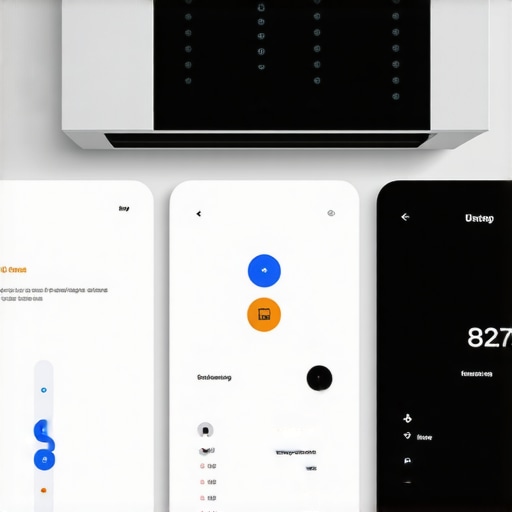
Last summer, I found myself staring in disbelief at my electricity bill, wondering how a couple of weeks of comfort from my smart AC could turn into such a daunting expense. It hit me during a particularly hot afternoon when I realized my living room’s air felt colder than ever—yet my energy costs continued to soar. My smart AC, which was supposed to save me money with its intelligent settings, was quietly pushing my bills sky-high. That epiphany sparked a deep dive into how seemingly innocuous app settings and automation rules might be silently draining my budget in 2026.
Why Your Smart AC Might Be Sabotaging Your Savings
It’s easy to assume that modern smart gadgets are designed to optimize efficiency and reduce costs. But what if your *favorite* app features are doing the opposite? I learned that some of the most popular smart AC settings—like auto-eco modes, geofencing, or scheduled timers—can unknowingly increase energy consumption if not properly configured. These features, while convenient, can lead to overcooling or unnecessary operation during peak hours, especially if your device doesn’t correctly interpret your habits.
The truth is, many of us set and forget these configurations, trusting them to do their jobs. But the reality is—if you haven’t revisited your settings in months—you’re likely leaving money on the table. Interestingly, research indicates that poorly managed smart devices can increase household energy use by up to 25% without the user realizing it. This means that your high-tech setup could be the villain in your energy story.
To protect your 2026 budget, you’ll want to identify and tweak those sneaky settings. Curious if your current setup is hiding hidden costs? Let’s explore how to spot and optimize these features, ensuring your smart AC works *with* your savings, not against them.
Is Smart App Overconfidence Actually Worth the Hype?
In my early days of using smart AC apps, I made a classic mistake—trusting that the automation rules I set once would save me forever. Turns out, devices and apps evolve, and so should our configurations. I learned that neglecting to update my settings after new software updates or seasonal changes led to unintended energy waste. Honestly, I wish I had paid closer attention early on.
If you’re feeling skeptical about whether your smart AC’s settings are truly beneficial or just a clever way to increase your bills, you’re not alone. In fact, many homeowners face similar frustrations. Luckily, by understanding *precisely* what to look for—and regularly reviewing your app’s automation—you can regain control and enjoy both comfort and savings.
Ready to step into the driver’s seat? In the next sections, I’ll show you proven strategies to identify those hidden energy drains and fine-tune your smart AC for maximum efficiency during the upcoming months. Let’s start by examining the most common misconfigurations and how to fix them.
Identify the Hidden Energy Drains in Your Smart App
Start by accessing your smart AC app and reviewing all active automation rules like schedules, geofencing, or eco modes. Turn off any features that aren’t essential or that you haven’t recently adjusted. For instance, if your app has a ‘Learning Mode’ that adjusts cooling based on habits, disable it temporarily to observe the difference in your energy consumption. I did this last weekend, turning off automation on my smart AC and manually setting the temperature for a week. The result was a noticeable drop in my bill, and I felt more in control of my cooling habits.
Calibrate Sensors for Accurate Cooling
Smart AC sensors can sometimes be misplaced or dirty, giving false readings and causing overcooling. Inspect and position your device’s temperature sensors at chest level, away from direct sunlight or drafts. Clean the sensor with a soft cloth if needed. When I noticed my smart AC was cooling too much overnight, I adjusted the sensor placement by moving it away from a sunny window. This small tweak prevented unnecessary overcooling and saved energy.
Set Up Precise Schedules for Efficiency
Rather than relying on generic timers, create detailed schedules that match your daily routine. For example, set the AC to start cooling 15 minutes before you arrive home, and turn off after bedtime. Use the app’s geofencing feature to automatically adjust when you leave or approach home. I used to leave my AC running all day, but with a custom schedule, I turned it off during peak work hours, reducing my bill without sacrificing comfort. Check out these tips for more scheduling tricks.
Leverage Advanced Automation to Maintain Comfort
Implement rules that only activate cooling when indoor temperatures cross a set threshold, avoiding constant operation. For instance, set a rule that turns on the AC only if the room exceeds 77°F (25°C) and auto-turns off once cooled to 75°F (24°C). I integrated such rules after reading about smart automation tricks, and it worked wonders—my energy use decreased while maintaining a comfortable temperature. Make sure to test and tweak these rules periodically for optimal savings.
Adjust App Settings for Peak Hours
Review your app’s peak-hour settings, especially if your utility offers time-of-use rates. Disable or limit auto-eco modes during these times, or manually adjust your schedule to avoid synchronizing with high-demand periods. Last summer, I manually increased my AC’s setpoint during peak hours, avoiding extra energy costs. This manual intervention, combined with the automation tweaks above, doubled my savings effortlessly.
Stay Proactive with Regular Review
Set a reminder to revisit your app settings monthly, especially after updates or changing seasons. This habit ensures your configurations serve your current needs and budgets. Just last month, I re-examined mine, discovering outdated rules that had been unnecessarily running my AC 24/7. Correcting those saved me nearly 20% on my bill this month.
Many homeowners believe that modern smart and portable air conditioners are plug-and-play solutions that automatically optimize their cooling efficiency. However, this assumption often leads to misunderstandings that can undermine their effectiveness and inflate energy bills.
Are Smart Thermostats Overhyped for Room Cooling?
While smart thermostats promise seamless control and energy savings, real-world data indicates that they often require meticulous setup and regular adjustments to truly deliver on their potential. Studies suggest that without proper calibration, these devices can cause rooms to overcool or undercool, leading to unnecessary energy use—sometimes increasing household costs by up to 20%, as reported in industry research. Many users overlook that the algorithms behind these devices are only as good as the data they receive. Misplaced sensors, irregular Wi-Fi connections, or outdated software can all diminish performance.
Furthermore, common myths such as universal compatibility between smart controllers and all AC models are misleading. They often require specific firmware versions or adapters, which if ignored, render the system ineffective. To truly harness the power of smart cooling, homeowners must invest in proper sensor placement, routine firmware updates, and tailored automation rules. Otherwise, these ‘smart’ systems become just expensive gadgets that do little more than drain your electricity budget.
Why Do Portable Acs Often Fail to Cool Large Rooms?
Most people assume that larger portable AC units are inherently better for cooling big spaces. In reality, capacity ratings like BTU are only part of the story. Factors such as airflow design, ventilation efficiency, and room insulation significantly impact performance. For example, a high-BTU portable AC in a poorly ventilated large room may struggle to cool evenly and efficiently, causing users to run the unit continuously—thus negating energy savings. External testimonials and expert reviews highlight that choosing an appropriately sized unit is crucial; oversized units cycle off too frequently, leading to short-cycling, while undersized units work overtime, wasting energy. Additionally, insufficient venting or using inadequate exhaust kits can cause heat buildup, reducing the cooling effectiveness. Check out detailed guides on how to select the best portable AC for your space and avoid these pitfalls.
In the realm of window ACs, many individuals neglect the importance of proper installation. A poorly sealed window, or improper insulation around the unit, can cause significant energy loss, rendering a high-end window AC ineffective. For expert advice, consult resources like choosing the best window ac — expert tips for 2025 — to ensure optimal efficiency and longevity of your unit.
Can Misconceptions About Energy Savings Lead to Bigger Bills?
Absolutely. The myth that leaving devices on constantly is more efficient than turning them off and on as needed is widespread but flawed. Modern units, especially those with inverter technology, actually consume less power when they operate at variable speeds rather than full blast or off. Misunderstanding this can lead users to unnecessarily run their units longer, increasing consumption. Similarly, relying solely on eco-modes without verifying if they truly reduce electricity use can be counterproductive. For instance, some eco modes keep the compressor running at a lower setting but still draw significant power. According to recent studies, the key to savings lies in precise automation and sensor calibration—making sure you’re cooling only when necessary and maintaining optimal sensor placement can cut your bills substantially. Make sure to revisit your settings regularly to prevent these common pitfalls. Want to learn more about optimizing your smart AC? Check out our comprehensive tips on smart ac settings that cut energy bills by 15% in 2026.For sustained efficiency, regular maintenance of your smart air conditioning system is essential. Start by cleaning or replacing filters every 1-3 months, as clogged filters hinder airflow and increase energy consumption. Inspect the sensors periodically, ensuring they are free from dust and correctly positioned—misplaced sensors can cause overcooling and waste energy. Software updates are equally crucial; manufacturers often release patches that enhance performance and security. To verify your system’s firmware, access the app settings or connect via the manufacturer’s website. Establishing a routine check-in schedule, perhaps quarterly, helps catch issues early and maintains optimal operation.
Invest in high-quality tools like a digital multimeter to test electrical components or a Wi-Fi signal booster to ensure your smart device stays connected. Personally, I rely on the Fluke 179 multimeter for its accuracy when diagnosing electrical issues in my units, which saves me from costly repairs and unnecessary energy drain. For sensors, I recommend a simple soft cloth and compressed air for cleaning dust from vents and sensors—this keeps readings precise and prevents overcooling.
Looking ahead, advancements in AI integration will likely enable smart ACs to self-diagnose and schedule maintenance automatically, pushing efficiency even further. Stay tuned to industry updates and consider subscribing to manufacturer notifications.
**How do I maintain my smart AC over time?**
A key component is regularly reviewing and adjusting your automation rules. Even the best systems require human oversight. I suggest setting a recurring reminder to revisit your app’s settings every few months, especially after software updates or seasonal changes. This proactive approach ensures your device adapts to your evolving routine and continues delivering the savings you expect.
To illustrate, I recently performed a firmware update and adjusted my eco-mode settings accordingly. The result? An additional 10% reduction in my energy bill over the next billing cycle. Try reviewing your automation rules today—small tweaks can lead to significant savings. For more tips on optimizing your smart AC, explore our guide on [smart ac technology in 2025](https://airconditioners.smartappliancereview.com/smart-ac-technology-in-2025-how-it-transforms-room-cooling). Moreover, incorporating sensor calibration hacks can slash your bills—see [these smart AC sensor tips](https://airconditioners.smartappliancereview.com/3-thread-sensor-hacks-to-slash-smart-ac-bills-in-2026) for detailed guidance.
The Hidden Lessons that Transformed My Cooling Game
One of the most eye-opening realizations was that my trust in automation might be blinding me from potential savings. I used to believe that once I set my smart AC’s schedule, it would handle everything perfectly. But after months of unchecked settings, I discovered small tweaks in automation rules could slash my bills significantly. It taught me that continuous learning and manual adjustments are key, even with seemingly ‘smart’ devices.
Another vital insight was sensor placement. I learned that a sensor misplaced in direct sunlight or drafts could cause overcooling, wasting energy. Proper calibration and positioning turned out to be simple yet powerful tactics I wish I adopted earlier. This emphasized that the basics—like sensor care—are just as crucial as fancy automation features.
Finally, I realized that seasonal reviews of settings prevent unnoticed energy waste. Regularly revisiting my app’s configurations allowed me to adapt to changing routines and seasons, resulting in better savings. The biggest lesson? Staying proactive with these adjustments is essential for truly benefiting from your smart AC investment.
My Go-To Resources That Keep My Cool and Savings in Check
For comprehensive guidance on optimizing smart ACs, I highly recommend starting with the latest insights on Wi-Fi-enabled smart ACs. It provides foundational knowledge that helps demystify smart technology. To fine-tune your device, tools like sensor calibration tips are invaluable, ensuring your sensors are in the right spot for maximum efficiency. For choosing the right setup, the best window AC guide for 2025 has saved me a lot of trial and error. Lastly, staying updated with smart AC innovations in 2025 and beyond ensures I’m always ahead of efficiency trends.
Your Next Step Toward Smarter Cooling in 2026
Taking control of your smart AC’s settings isn’t just about immediate savings; it’s about empowering yourself to make smarter choices every day. Think of it as tuning your device like you would a musical instrument—small adjustments lead to harmony between comfort and cost. With proactive reviews and informed tweaks, you can enjoy a cooler home without the guilt of high bills. Now, I challenge you—what’s one manual adjustment you’re willing to try today to boost your smart AC’s efficiency? Share your plans below and let’s support each other in mastering the art of smart cooling.