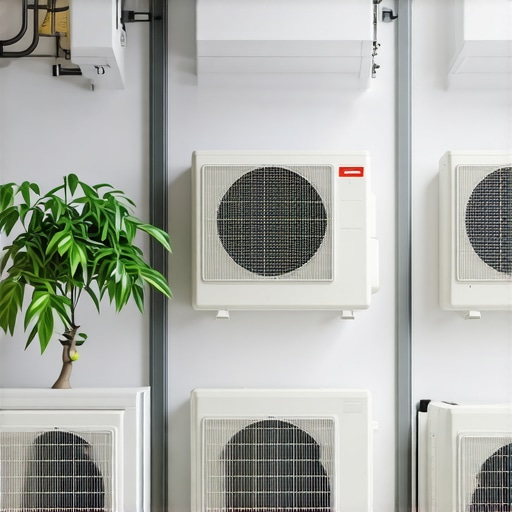
Imagine this: It’s a scorching summer afternoon. You’re sweating in your living room, fiddling with a bulky, noisy window unit that barely cools the space. I’ve been there—wasting time, energy, and nerves on systems that just don’t cut it anymore. Then, I had my game-changing moment: discovering how smart ACs can truly revolutionize home cooling, turning a frustrating experience into effortless comfort.
Why Smart ACs Are a Game Changer for Every Room
In 2024, the way we cool our homes has shifted dramatically. Gone are the days of one-size-fits-all window units. Today, smart ACs offer personalized, energy-efficient cooling tailored to each room’s needs. These devices can be controlled remotely, integrated with voice assistants, and even adapt to your daily routine. I promise, once you experience this level of control, you’ll wonder how you ever managed without it.
Are Smart ACs Really Worth the Hype
Early on, I made the mistake of thinking smart ACs were just a fancy gadget—an unnecessary luxury. But that was a rookie error. The real benefit lies in their efficiency and convenience. Plus, they can save you money in the long run. If you want to see how this technology is transforming room cooling, check out this insightful article. Trust me, smart ACs are more than hype—they’re the future of home comfort.
Now, if you’ve ever faced uneven cooling, high energy bills, or simply wished for more control over your environment, you’re in the right place. We’re about to dive into how to choose the perfect smart AC system for every room in your home, so your summer can be cool, comfortable, and stress-free.
Select the Right Smart AC System
Start by evaluating your room sizes and cooling needs. For small bedrooms or offices, consider portable smart ACs which offer flexibility and quick setup. If you’re cooling larger spaces, window units with smart features or mini-split systems can provide more efficient coverage. When I replaced my old window unit with a smart mini-split, I immediately noticed improved temperature consistency and energy savings. For detailed comparisons, check this guide on portable vs. window ACs.
Measure Your Space for Accurate Sizing
Use a tape measure to determine your room’s square footage. Larger rooms require higher BTU capacity; a common rule is 20 BTU per square foot. For instance, my living room is 250 sq ft, so I looked for units with at least 5000 BTU. Proper sizing ensures efficient cooling without overworking the system. Consult this energy-efficient sizing guide for more tips.
Choose Compatible Smart Features
Focus on essential features like Wi-Fi connectivity, voice control, and scheduling. I installed a smart AC that integrates with my smart home assistant, allowing me to turn on cooling before I arrive home. This seamless integration made my daily routine effortless. When selecting your system, ensure it supports your preferred app or voice platform. For top recommendations, browse the best smart ACs for 2024.
Install Your Smart AC Properly
Follow the manufacturer’s instructions carefully during installation. For window units, ensure they are securely mounted and sealed to prevent air leaks, which can reduce efficiency. If opting for a portable smart AC, make sure it’s placed on a level surface with adequate ventilation. I once tried to save time by installing a portable unit on an uneven surface, leading to vibrations and noise—lesson learned. For expert tips, see this installation guide.
Set Up and Optimize Your System
Once installed, connect your AC to Wi-Fi and download the companion app. Use the app to create routines—like lowering the temperature at night or when you leave home. I programmed my system to start cooling 30 minutes before I wake up, ensuring a comfortable morning. Regularly update the firmware for optimal performance, and utilize energy-saving modes to reduce bills. For more advanced control strategies, explore this Wi-Fi-enabled smart ACs overview.
While it might seem straightforward to select a smart air conditioner, many homeowners fall into traps that undermine their comfort and savings. Let’s dig deeper into some nuanced pitfalls and misconceptions that can trip you up during your smart AC journey.
Why Bigger Isn’t Always Better When Sizing Your Smart AC
One prevalent myth is that choosing a higher BTU capacity than needed will cool your room faster and more effectively. In reality, an oversized unit will cycle on and off more frequently, leading to increased wear and tear, higher energy bills, and uneven cooling. Proper sizing, based on your room’s square footage and insulation quality, is crucial. For precise calculations, I recommend consulting this energy-efficient sizing guide.
Beware of Overestimating Smart Features
It’s tempting to think that more features mean better performance. But, many smart ACs come with bells and whistles that you might never use, like elaborate modes or overly complex app interfaces. Focus on essential features such as Wi-Fi connectivity, voice control compatibility, and scheduling. For instance, my decision to prioritize seamless app integration and voice commands significantly enhanced my daily routine. Check the top best smart ACs for 2024.
Common Mistake: Ignoring Ventilation and Placement
Many assume that installing a smart AC is all about the device itself, but placement is equally vital. Improper positioning can cause uneven cooling, increased energy consumption, and even system strain. For example, placing a unit near heat sources or in direct sunlight can cause it to work harder. Proper installation, including sealing leaks and ensuring unobstructed airflow, is essential. For expert tips, see this installation guide.
Is Wi-Fi Connectivity Always Reliable for Smart ACs?
Advanced users often assume Wi-Fi stability is a given, but network issues can cause disconnections, affecting scheduling and remote control. An unreliable connection might lead to frustration, especially during heatwaves when consistent cooling is critical. To mitigate this, consider a dedicated smart home hub or ensuring your Wi-Fi network is robust and secure. For insights on maximizing connectivity, explore this overview of Wi-Fi-enabled smart ACs.
Have you ever fallen into this trap? Let me know in the comments. Avoiding these common mistakes can save you time, money, and a lot of frustration, ensuring your smart AC truly lives up to its potential for effortless comfort.
How do I keep my smart AC running smoothly over time
Maintaining your smart air conditioner is essential to ensure it continues to operate efficiently and provides consistent comfort. Regular upkeep not only extends the lifespan of your device but also maximizes energy savings and performance. One of the best ways I’ve found to keep my system in top shape is by investing in high-quality tools and adopting a proactive maintenance routine.
First, I recommend using a digital multimeter to regularly check the electrical components of your smart AC. This simple device allows you to verify that voltage and current levels are within safe ranges, preventing potential electrical failures. I personally use the Fluke 117 multimeter because of its accuracy and durability, which gives me peace of mind when troubleshooting minor issues myself.
Next, keeping the filters clean is crucial. I schedule a monthly check using a soft brush and mild detergent to remove dust and debris. Clean filters improve airflow, reduce strain on the compressor, and maintain indoor air quality. For those with more advanced systems, I suggest using an ultrasonic cleaner for the filters, which can remove stubborn dirt more effectively.
In addition to physical maintenance, software updates play a vital role. I connect my smart AC to Wi-Fi regularly and ensure the firmware is up to date. Manufacturers often release updates that improve stability, security, and functionality. For example, the latest firmware from leading brands enhances responsiveness and integrates better with smart home ecosystems, including voice assistants.
Another tool I rely on is a wireless thermal infrared thermometer, which helps me monitor the temperature of different parts of the unit during operation. This ensures the compressor and condenser coils are functioning correctly and aren’t overheating. Consistent temperature checks help catch issues early before they escalate into costly repairs.
As technology advances, I predict that future maintenance will become even more automated. Smart diagnostics integrated into AC systems could alert you to issues before they affect performance, and IoT-enabled tools might allow remote troubleshooting from your smartphone. Staying ahead with these innovations will make long-term upkeep easier and more efficient.
What’s the best way to keep your smart AC in peak condition?
My top tip is to combine regular physical inspections with software management. Schedule monthly filter cleaning, check electrical connections with a multimeter, and keep your firmware updated. This holistic approach ensures your system remains reliable and efficient for years to come. For expert guidance, I recommend reviewing this resource on the future of smart ACs, which highlights upcoming trends in maintenance and diagnostics.
Take the initiative today by trying out a digital multimeter or scheduling your next firmware update. Small steps now will save you time, money, and headaches later.
After experiencing the frustrations of traditional cooling systems, I realized that embracing smart AC technology was a turning point in achieving optimal home comfort. The insights I gained along the way reveal that the true power of smart ACs lies beyond just remote control; it’s in their ability to adapt, optimize, and integrate seamlessly into our daily routines, making home cooling smarter, more efficient, and incredibly convenient.
Lessons from My Smart AC Journey That Changed Everything
- The Myth of Oversizing: I used to believe bigger BTU ratings meant faster cooling, but I learned that proper sizing is crucial. An oversized unit cycles less efficiently and wears out quickly—sticking to recommended BTUs for your room size is key.
- Features You’ll Actually Use: I once chased every new feature, only to realize that essential ones like Wi-Fi, voice control, and scheduling made the biggest difference. Focus on these for real convenience.
- Placement Matters: Proper installation and placement prevent uneven cooling and save energy. Sealing leaks and avoiding direct sunlight on units are simple yet effective tricks I now swear by.
- Reliability of Wi-Fi Connection: Stable internet is vital. I invested in a robust home network and found that strong connectivity keeps my system running smoothly without hiccups.
- Proactive Maintenance is a Game Changer: Regular filter cleaning, firmware updates, and electrical checks extend my AC’s lifespan and performance, saving me money and stress in the long run.
Tools and Resources That Made My Smart AC Experience Better
- Multimeter from Fluke: Trustworthy for electrical diagnostics, it helps me prevent potential failures before they happen.
- Ultrasonic Filter Cleaner: Keeps filters spotless, ensuring optimal airflow and efficiency.
- Firmware Updates from Manufacturers: Essential for security, stability, and new features—staying current maximizes my system’s potential.
- Smart Home Ecosystem Guides: Resources like this detailed article keep me informed about future innovations and best practices.
Seize the Moment and Make Your Home Cooler Than Ever
The future of home cooling is in your hands—by choosing the right smart AC and maintaining it well, you’re investing in peace of mind and comfort. Imagine coming home on a scorching day to a perfectly cooled space, all managed effortlessly from your phone. That’s the power of smart ACs, and now is the perfect time to harness it.
What’s the first step you’re excited to try—whether it’s recalibrating your system, exploring new features, or optimizing placement? Share your plans below and let’s keep the conversation going!
http://Lena%20Carter
Reading this post really resonated with me, especially the part about proper sizing and placement of smart AC units. When I first switched to a mini-split system in my living room, I underestimated the importance of accurate measurements and placement. I placed it near a window, which caused uneven cooling and frequent short cycling. After repositioning it and measuring the room accurately, I immediately noticed better efficiency and comfort.
It got me thinking, how do others handle insulation and room layout to maximize their smart AC’s effectiveness? Do you find certain room features or furniture placement affecting cooling performance more than others? I’d love to hear tips from those who have optimized their spaces beyond just the device choice. Also, I’m curious about anyone’s experience integrating smart ACs with existing smart home systems—any challenges or surprises? I believe that a blend of good installation and smart technology can really make home cooling seamless and energy-efficient.
http://Rachel%20Morgan
This post really hits home for me, especially the part about proper placement and sizing. Last summer, I made the mistake of installing a smart window unit without measuring my room accurately. It seemed logical to go for the higher BTU, but I quickly learned that it led to short cycling and uneven cooling. Reassessing the room size and sealing gaps around the window significantly improved performance. It’s amazing how such small adjustments can make a big difference!
What I’ve found helpful is using a laser thermometer to spot-check different areas of the room and the unit’s intake and exhaust vents. That way, I can ensure everything is functioning optimally. It made me wonder, how much does furniture placement influence cooling? Do others find that large pieces block airflow or create hot spots? I’d love to hear tips for optimizing room layout with smart ACs to enhance efficiency even further.
http://Emily%20Johnson
This article really opened my eyes to the importance of proper installation and mindful placement when it comes to smart ACs. I used to think that simply having a high-tech device meant I was set, but I realized that even the most advanced smart AC won’t perform well if it’s not positioned correctly. I found that placing the unit away from heat sources or direct sunlight made a noticeable difference in efficiency. Since I started paying attention to these details, my energy bills have decreased and the cooling has become more even across the room.
I’m curious, has anyone experimented with different placement strategies in multi-room setups? For example, how do you decide which rooms to prioritize or how to distribute cooling effectively? It seems that understanding your home’s specific layout can really enhance the benefits of smart AC technology. Any tips on balancing cooling needs without overloading your system? I’d love to hear more about how others are optimizing their smart home cooling solutions.